
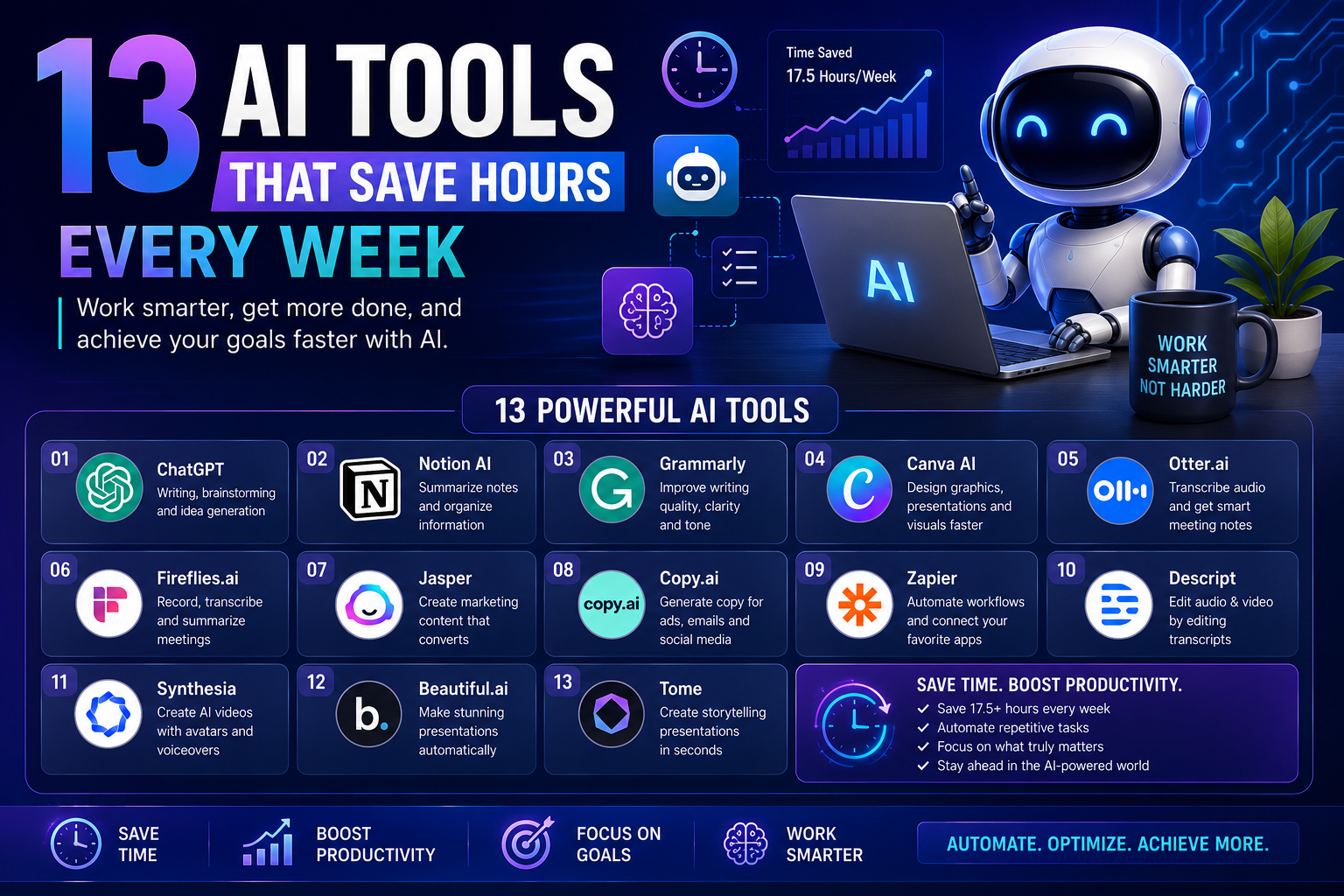
13 AI Tools That Save Hours Every Week | Boost Productivity with the Best AI Apps (2027)
WhatsApp
Telegram
Facebook
Twitter
LinkedIn
Join Our WhatsApp Channel
I’ll Help You Work Smarter, Not Harder: 13 AI Tools That Save Hours Every Week
Artificial intelligence is no longer a futuristic concept—it’s a practical tool that millions of people use every day to work faster, stay organized, and create better results with less effort. Whether you’re a student, freelancer, entrepreneur, marketer, or office professional, the right AI tools can save hours every week by automating repetitive tasks and improving your workflow.
This guide introduces 13 powerful AI tools that can help you boost productivity and focus on what matters most.
Why Use AI Tools?
Instead of spending hours on repetitive work, AI can assist with:
- Writing emails and articles
- Designing graphics
- Summarizing documents
- Creating presentations
- Transcribing meetings
- Automating workflows
- Managing projects
- Editing videos
- Brainstorming ideas
- Organizing notes
Even saving just one hour each day adds up to over 250 hours every year.
13 AI Tools Worth Trying
| Tool | Best For | Main Benefit |
|---|---|---|
| ChatGPT | Writing & brainstorming | Generate ideas, drafts, and answers quickly |
| Notion AI | Productivity | Organize notes and summarize documents |
| Grammarly | Writing | Improve grammar, tone, and clarity |
| Canva AI | Design | Create graphics and presentations faster |
| Otter.ai | Meetings | Convert speech into searchable notes |
| Fireflies.ai | Team meetings | Record and summarize conversations |
| Jasper | Marketing | Produce marketing content efficiently |
| Copy.ai | Copywriting | Create product descriptions and social posts |
| Zapier | Automation | Connect apps and automate repetitive tasks |
| Descript | Audio & video | Edit media using text-based editing |
| Synthesia | AI videos | Produce presenter-style videos |
| Beautiful.ai | Presentations | Build polished slides automatically |
| Tome | Storytelling | Create visually engaging presentations |
Productivity Impact
| Weekly Task | Traditional Time | With AI | Time Saved |
|---|---|---|---|
| Email Writing | 4 hrs | 1.5 hrs | 2.5 hrs |
| Blog Drafting | 6 hrs | 2 hrs | 4 hrs |
| Graphic Design | 5 hrs | 2 hrs | 3 hrs |
| Meeting Notes | 3 hrs | 30 mins | 2.5 hrs |
| Presentations | 4 hrs | 1.5 hrs | 2.5 hrs |
| Social Media Content | 5 hrs | 2 hrs | 3 hrs |
Estimated Weekly Time Saved: 17.5 Hours
How Different Professionals Can Use AI
Students
- Summarize textbooks
- Create study notes
- Generate flashcards
- Improve essays
- Brainstorm research ideas
Freelancers
- Write proposals
- Generate invoices
- Create marketing content
- Manage client communication
- Automate repetitive admin work
Business Owners
- Draft emails
- Build presentations
- Plan projects
- Create social media content
- Automate customer workflows
Content Creators
- Generate video ideas
- Write scripts
- Design thumbnails
- Produce blog outlines
- Repurpose content across platforms
Tips for Getting Better Results
Instead of asking:
“Write an article.”
Try asking:
“Write a 1,500-word beginner-friendly blog post about personal finance using clear headings, practical examples, and an encouraging tone.”
The more specific your instructions, the more useful the results are likely to be.
A Simple AI Workflow
Idea
   │
   ▼
Research
   │
   ▼
Writing Draft
   │
   ▼
Grammar Check
   │
   ▼
Graphic Design
   │
   ▼
Presentation
   │
   ▼
Automation & Publishing
Choosing the Right AI Tool
Ask yourself:
- What task takes the most time each week?
- Which repetitive jobs could be automated?
- Do you need help with writing, design, organization, or automation?
- Will the tool fit naturally into your existing workflow?
Start with one or two tools before adding more.
Best Practices
- Review AI-generated content before publishing.
- Add your own expertise and personal insights.
- Keep sensitive information private when using online tools.
- Use AI to support your work rather than replace your critical thinking.
- Experiment with different prompts to discover what works best.
Final Thoughts
AI tools are becoming valuable assistants for everyday work. They can help reduce repetitive tasks, speed up creative projects, and improve productivity without replacing human judgment or creativity.
You don’t need to use every AI tool available. Start with the ones that solve your biggest challenges, build efficient habits, and gradually expand your toolkit as your needs grow. Even a small amount of time saved each day can add up to hundreds of productive hours over the course of a year.
---Advertisement---
[adinserter block="1"]
LATEST post
Nelko P21 Label Maker Machine with Tape, Bluetooth Label Printer, White
October 26, 2026
7:47 pm

Quntis Monitor Light Bar Review for a Better Home Office
October 26, 2026
7:34 pm

Swagbucks & InboxDollars $20 Bonus Method – Earning Guide
August 20, 2026
7:59 am

TextNow Account Create Method – Complete Guide for Beginners
August 19, 2026
10:43 pm

SMM Panel কী? Social Media Services ও Marketing Guide 2026
August 18, 2026
9:59 pm