9 AI Tools That Replace 50+ Apps in 2026 | Save Time & Money with AI
WhatsApp
Telegram
Facebook
Twitter
LinkedIn
Join Our WhatsApp Channel
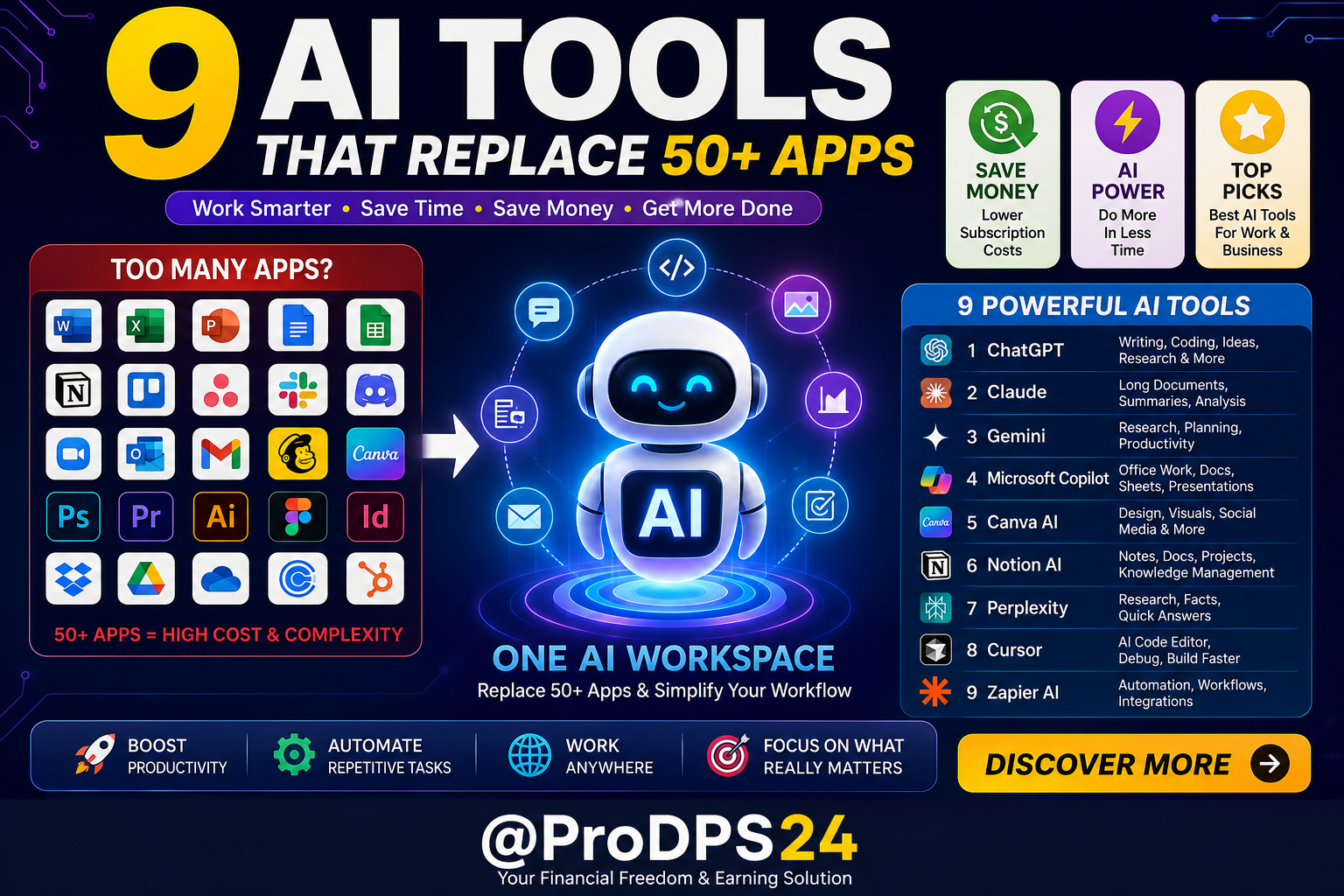
9 AI Tools That Replace 50+ Apps and Help You Work Smarter
Technology is evolving faster than ever, and artificial intelligence has become one of the biggest productivity boosters for individuals and businesses alike. Instead of paying for dozens of separate applications, many people now rely on AI-powered platforms that combine writing, design, coding, research, automation, meetings, and project management into one streamlined workflow.
Whether you’re a student, freelancer, entrepreneur, content creator, or business owner, choosing the right AI tools can reduce software costs while helping you complete more work in less time.
Why Replace Multiple Apps with AI?
Traditional workflows often require switching between different software for every task. One app is used for writing, another for image editing, another for presentations, another for scheduling, and several more for meetings and note-taking.
Modern AI platforms simplify this process by bringing many of these features together.
Benefits include:
- Lower monthly software expenses
- Faster content creation
- Improved productivity
- Better team collaboration
- Automated repetitive tasks
- Less time switching between applications
- Faster learning and research
9 AI Tools Worth Using
1. ChatGPT
Perfect for writing, brainstorming, coding, summarizing documents, generating ideas, learning new skills, and answering questions.
Best for:
- Writing articles
- Email drafting
- Coding assistance
- Research
- Business ideas
2. Claude
Excellent for analyzing long documents, reasoning through complex topics, and creating professional-quality writing.
Best for:
- Large documents
- Reports
- Business writing
- Research summaries
3. Gemini
A versatile AI assistant that works well for productivity, research, planning, and generating creative content.
Best for:
- Planning projects
- Research
- Productivity
- Learning
4. Microsoft Copilot
Designed to improve everyday work by assisting with documents, spreadsheets, presentations, emails, and workplace productivity.
Best for:
- Office work
- Presentations
- Documents
- Business productivity
5. Canva AI
Create professional graphics, presentations, social media posts, logos, and marketing materials quickly without advanced design experience.
Best for:
- Graphic design
- Presentations
- Social media
- Marketing visuals
6. Notion AI
Turn your notes into organized knowledge, summarize meetings, create documents, and manage projects from one workspace.
Best for:
- Note-taking
- Project management
- Documentation
- Team collaboration
7. Perplexity
An AI-powered research assistant that quickly gathers information and provides organized answers for learning and decision-making.
Best for:
- Online research
- Fact finding
- Learning
- Quick summaries
8. Cursor
A modern AI coding editor that helps developers write, debug, understand, and improve code much faster.
Best for:
- Software development
- Debugging
- Code generation
- Programming education
9. Zapier AI
Automate repetitive business tasks by connecting your favorite apps and creating powerful workflows with minimal effort.
Best for:
- Workflow automation
- Business operations
- Productivity
- Time-saving processes
Quick Comparison Table
| AI Tool | Main Purpose | Can Replace |
|---|---|---|
| ChatGPT | Writing & Coding | Writing apps, coding assistants, brainstorming tools |
| Claude | Long Documents | Document editors, research tools |
| Gemini | Research | Search assistants, productivity tools |
| Copilot | Office Work | Office assistants, writing tools |
| Canva AI | Design | Graphic design software |
| Notion AI | Organization | Notes, project management apps |
| Perplexity | Research | Search and research tools |
| Cursor | Programming | Code editors with AI assistance |
| Zapier AI | Automation | Workflow automation platforms |
Which AI Tool Should You Choose?
The best AI tool depends on your goals.
For writers: ChatGPT or Claude
For students: Gemini or Perplexity
For designers: Canva AI
For developers: Cursor
For businesses: Microsoft Copilot and Zapier AI
For project management: Notion AI
Many professionals combine two or three AI tools instead of maintaining subscriptions to dozens of traditional applications.
Tips for Getting the Most from AI
- Learn prompt writing to receive higher-quality results.
- Store your favorite prompts for repeated tasks.
- Verify important information before publishing.
- Use AI to automate repetitive work while focusing your time on creative thinking and decision-making.
- Combine AI tools with your existing workflow instead of replacing everything at once.
Final Thoughts
Artificial intelligence is transforming the way people work. Instead of juggling dozens of different applications, today’s AI platforms can handle writing, research, coding, design, automation, and productivity in one efficient workflow.
By choosing the right combination of AI tools, you can save money, simplify your digital workspace, and spend more time on meaningful work rather than repetitive tasks.
As AI continues to improve, learning how to use these tools effectively will become an increasingly valuable skill for professionals, students, entrepreneurs, and creators alike.
Frequently Asked Questions
Q: Can AI really replace 50+ apps?
AI can perform many tasks that previously required separate applications. While specialized software still has its place, many everyday tasks can now be completed using just a few AI-powered platforms.
Q: Are AI tools suitable for beginners?
Yes. Most modern AI tools are designed with user-friendly interfaces that make them accessible even for people with little technical experience.
Q: Will AI replace human creativity?
AI is best viewed as a productivity assistant. It helps speed up routine work, while human creativity, judgment, and expertise remain essential.
Q: Should I use one AI tool or several?
Many users achieve the best results by combining two or three complementary AI tools that match their workflow instead of relying on dozens of separate applications.
---Advertisement---
[adinserter block="1"]
LATEST post
Nelko P21 Label Maker Machine with Tape, Bluetooth Label Printer, White
October 26, 2026
7:47 pm

Quntis Monitor Light Bar Review for a Better Home Office
October 26, 2026
7:34 pm

Swagbucks & InboxDollars $20 Bonus Method – Earning Guide
August 20, 2026
7:59 am

TextNow Account Create Method – Complete Guide for Beginners
August 19, 2026
10:43 pm

SMM Panel কী? Social Media Services ও Marketing Guide 2026
August 18, 2026
9:59 pm