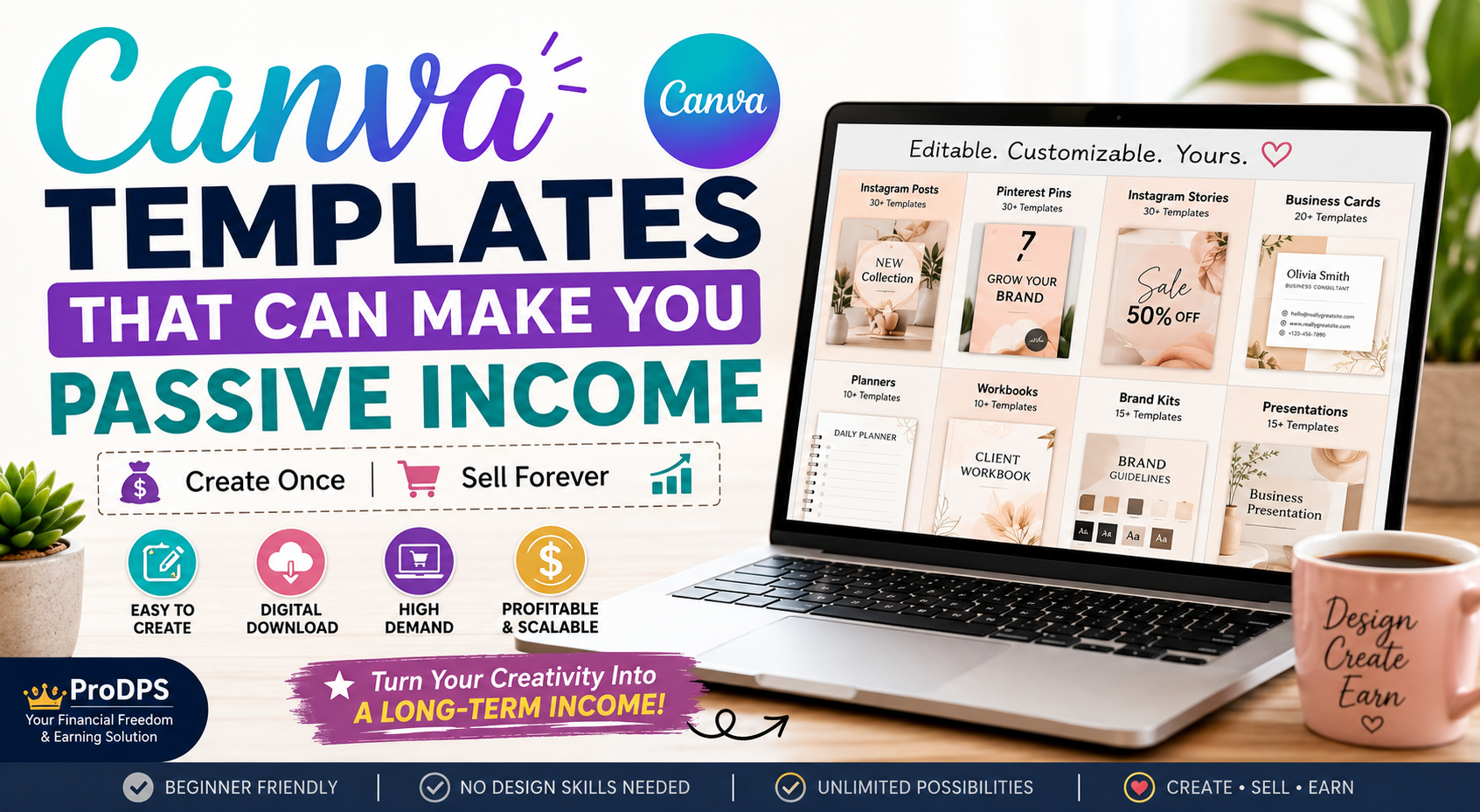
Canva Templates That Make Money: The Complete Beginner’s Guide to Building Passive Income
WhatsApp
Telegram
Facebook
Twitter
LinkedIn
Join Our WhatsApp Channel
What Are Canva Templates?
Canva templates are pre-designed layouts that users can edit within Canva. Instead of designing from scratch, customers simply replace the text, images, colors, or branding with their own content.
These templates save time while maintaining a professional appearance, making them valuable for individuals and businesses alike.
Examples include:
- Instagram posts
- Pinterest pins
- Business cards
- Resumes
- Presentations
- Planners
- eBooks
- Workbooks
- Flyers
- Menus
- Price lists
- Social media kits
- Media kits
- Lead magnets
- Checklists
- Calendars
Because they’re editable, buyers can customize them without hiring a designer.
Why Canva Templates Are Becoming One of the Best Passive Income Products
Passive income is often misunderstood. While creating templates requires effort upfront, each completed design becomes a digital asset that can generate revenue repeatedly.
For example, imagine spending four hours creating a Pinterest template bundle. Once it’s listed for sale, hundreds of customers can purchase the same product without additional production costs.
This makes Canva templates an attractive business model because they offer:
- Unlimited inventory
- Instant delivery
- Low startup costs
- High profit margins
- Global customer reach
- Minimal maintenance
- Flexible working hours
As more businesses shift toward digital marketing, the demand for editable templates continues to grow.
Why Customers Love Buying Canva Templates
People don’t buy templates because they can’t design. They buy them because they want to save time.
A business owner managing marketing, customer service, and sales doesn’t have time to create every graphic from scratch.
Instead, they purchase professionally designed templates that help them:
- Maintain consistent branding
- Publish content faster
- Improve visual quality
- Save money on hiring designers
- Stay organized
- Launch campaigns quickly
This convenience is what creates lasting demand.
The Biggest Advantages of Selling Canva Templates
1. Low Startup Costs
Unlike traditional businesses, selling Canva templates doesn’t require expensive equipment or inventory. Many creators begin with Canva Free, while Canva Pro can unlock additional design features and assets.
2. Unlimited Sales Potential
A digital product can be sold repeatedly without needing to recreate it. Whether you sell ten copies or ten thousand, the product remains the same.
3. Work From Anywhere
All you need is a computer and an internet connection. This flexibility makes Canva template businesses ideal for freelancers, students, stay-at-home parents, and entrepreneurs.
4. Multiple Income Streams
One template can be sold across different platforms, such as your own website, digital marketplaces, and online storefronts (subject to each platform’s terms). Diversifying where you sell can reduce dependence on a single source of traffic.
5. Easy to Scale
As your product library grows, so does your earning potential. Many successful sellers offer hundreds of template bundles targeting different customer needs.
Who Buys Canva Templates?
Understanding your audience is key to creating products that sell.
Popular customer groups include:
Small Business Owners
They need branding materials, promotional graphics, and marketing assets that look professional without hiring a designer.
Content Creators
YouTubers, bloggers, and influencers often purchase templates to keep their visual identity consistent across platforms.
Pinterest Marketers
Pinterest users rely on eye-catching pins. Template packs allow them to publish consistently while saving time.
Teachers and Educators
Lesson planners, worksheets, certificates, classroom decorations, and educational resources are consistently popular.
Coaches and Consultants
They use Canva templates for workbooks, presentations, lead magnets, client welcome guides, and training materials.
Event Organizers
Wedding planners, birthday organizers, and businesses use invitations, menus, seating charts, and signage templates.
Why This Market Continues to Grow
Several long-term trends support demand for Canva templates:
- More businesses are operating online.
- Social media platforms require frequent visual content.
- Digital downloads are convenient for buyers.
- Canva continues to expand its user base and design capabilities.
- Entrepreneurs are increasingly seeking affordable branding solutions.
Because of these trends, Canva templates remain a practical product category for creators who enjoy design and want to build a scalable digital business.
Best Canva Templates That Make Money
Not every Canva template has the same earning potential. The most successful digital products solve a specific problem, save customers time, or help businesses look more professional.
Instead of creating random designs, focus on templates that people actively search for and use regularly.
Below are some of the most profitable Canva template categories.
1. Social Media Templates
Social media remains one of the largest markets for Canva creators. Businesses, influencers, bloggers, coaches, and marketers publish content every day, creating constant demand for ready-made designs.
Popular products include:
- Instagram Post Templates
- Instagram Story Templates
- Carousel Templates
- Facebook Post Templates
- LinkedIn Graphics
- X (Twitter) Graphics
- YouTube Thumbnail Templates
- TikTok Cover Templates
- Pinterest Pin Templates
These products work well because customers often purchase bundles containing dozens or even hundreds of coordinated designs.
Why They Sell
- Businesses post daily.
- Saves hours of design work.
- Maintains brand consistency.
- Easy for beginners to customize.
2. Pinterest Pin Templates
Pinterest is both a search engine and a visual discovery platform. Bloggers, affiliate marketers, and online store owners need attractive pins that encourage clicks and saves.
A template bundle might include:
- Blog Pin Templates
- Product Promotion Pins
- Affiliate Marketing Pins
- Recipe Pins
- Finance Pins
- Fashion Pins
- Travel Pins
- Business Pins
Offering multiple layouts with matching color schemes can increase the perceived value of your product.
3. Business Branding Kits
New businesses often need a complete branding package but may not have the budget to hire a professional designer.
Popular branding templates include:
- Business Cards
- Letterheads
- Invoice Templates
- Email Signatures
- Brand Boards
- Logo Presentation Sheets
- Price Lists
- Service Guides
Business branding kits can command higher prices because they bundle several useful assets together.
4. Planner Templates
Planner templates remain one of the most consistent sellers in the digital product market.
Examples include:
- Daily Planners
- Weekly Planners
- Monthly Planners
- Budget Planners
- Meal Planners
- Goal Trackers
- Habit Trackers
- Fitness Journals
- Student Planners
- Work Schedules
Customers often print these planners or use them digitally on tablets.
5. Resume and Career Templates
Job seekers want resumes that look modern and professional.
Products include:
- Resume Templates
- CV Templates
- Cover Letter Templates
- Portfolio Templates
- Job Application Planners
Because job searching is ongoing throughout the year, these templates enjoy evergreen demand.
6. Presentation Templates
Professionals frequently need polished presentations.
Examples include:
- Business Pitch Decks
- Startup Presentations
- Marketing Reports
- Educational Slides
- Sales Presentations
- Investor Decks
Presentation templates often sell well when designed for a specific industry or purpose.
7. Printable Products
Printable templates continue to generate steady sales.
Ideas include:
- Coloring Pages
- Checklists
- Calendars
- Flash Cards
- Chore Charts
- Wedding Planners
- Baby Shower Games
- Party Decorations
Many customers purchase printable products for convenience and immediate use.
8. Marketing Templates
Small businesses constantly need marketing materials.
Popular products include:
- Flyers
- Brochures
- Coupons
- Restaurant Menus
- Promotional Posters
- Gift Certificates
- Loyalty Cards
- Event Flyers
Businesses appreciate templates that are easy to edit with their own branding.
9. eBook and Workbook Templates
Coaches, educators, and creators frequently publish downloadable resources.
Examples:
- Lead Magnets
- Workbooks
- eBooks
- Journals
- Challenge Guides
- Online Course PDFs
These templates appeal to entrepreneurs who want professional-looking digital products without starting from scratch.
How to Find Profitable Canva Template Niches
Creating templates is only part of the process. Choosing the right niche significantly increases your chances of making consistent sales.
A niche is simply a specific audience with a common need.
Instead of targeting everyone, focus on solving problems for a particular group.
For example:
| Broad Market | Better Niche |
|---|---|
| Social Media | Real Estate Instagram Templates |
| Business | Beauty Salon Marketing Kit |
| Education | Homeschool Planner |
| Finance | Budget Planner Bundle |
| Fitness | Workout Journal |
| Food | Restaurant Menu Templates |
| Wedding | Wedding Invitation Bundle |
| Travel | Travel Planner |
The more specific your niche, the easier it becomes to stand out.
Research What Customers Actually Want
Before designing anything, spend time researching customer demand.
Look at:
- Etsy best sellers
- Pinterest trends
- Google search suggestions
- Marketplace search results
- Social media creators
- Small business communities
Pay attention to recurring themes rather than copying existing products. Your goal is to identify problems people are trying to solve, then create an original solution.
Create Products That Solve Real Problems
Customers don’t buy templates simply because they look attractive.
They buy them because they save time, reduce effort, or improve results.
For example:
❌ Generic Instagram Template
✔ Instagram Template for Realtors
❌ Planner
✔ ADHD Daily Productivity Planner
❌ Business Card
✔ Luxury Real Estate Business Card
Specific products often outperform general ones because they speak directly to a target audience.
How to Design Canva Templates That Customers Love
Professional design doesn’t require complicated graphics.
Instead, focus on clarity, consistency, and usability.
Keep these principles in mind:
Use Consistent Colors
Choose a limited color palette.
Too many colors create visual clutter.
Select Readable Fonts
Avoid decorative fonts for body text.
Prioritize readability over style.
Leave White Space
Crowded layouts overwhelm users.
Spacing improves readability and gives designs a premium feel.
Make Templates Easy to Edit
Customers should be able to replace:
- Text
- Images
- Brand colors
- Logos
- Icons
without breaking the layout.
Organize Everything Clearly
Name pages logically.
Use grouped elements.
Keep alignment consistent.
Professional organization improves customer satisfaction.
Build Template Bundles Instead of Single Designs
Bundles usually perform better than individual templates.
Instead of selling:
1 Instagram template
consider offering:
- 30 Instagram posts
- 30 Story templates
- 20 Carousel templates
- Bonus Highlight Covers
Customers perceive bundles as better value, allowing you to charge higher prices.
How to Price Canva Templates
Pricing depends on complexity, uniqueness, and the number of templates included.
A simple pricing framework:
| Product Type | Suggested Price Range |
|---|---|
| Single Template | $3–$8 |
| Small Bundle (10–20 templates) | $10–$20 |
| Medium Bundle (25–50 templates) | $20–$40 |
| Large Bundle (75–200 templates) | $40–$90 |
| Premium Business Kit | $75–$200+ |
Pricing should reflect the value your templates provide rather than simply the number of pages.
Where to Sell Canva Templates
Diversifying your sales channels helps build a more resilient business.
Consider selling through:
Your Own Website
Selling on your own website gives you full control over pricing, branding, customer relationships, and marketing. Platforms like ProDPS.com with WooCommerce are excellent for building a long-term digital product business because you own your audience and avoid marketplace dependency.
Etsy
Etsy remains one of the largest marketplaces for digital downloads, attracting millions of buyers searching for planners, templates, and printable products.
Gumroad
Gumroad makes it simple to sell digital products directly to customers with minimal setup, making it popular among independent creators.
Creative Market
Creative Market is a well-known marketplace for design assets, including fonts, graphics, templates, and creative resources, making it a strong option for high-quality Canva products.
Shopify
If you plan to build a larger brand with multiple digital products, Shopify provides a scalable eCommerce platform with extensive customization and marketing tools.
Sell Across Multiple Platforms
Rather than relying on a single marketplace, consider using a multi-channel strategy. Selling on your own website alongside selected marketplaces can increase visibility while reducing the risk of losing traffic if one platform changes its policies or search rankings.
How to Market Canva Templates Successfully
Creating a beautiful template is only half the job. The other half is helping potential customers discover it. Even exceptional designs won’t generate sales if they aren’t visible where your audience is searching.
A sustainable marketing strategy combines organic traffic, search engine optimization (SEO), visual platforms, email marketing, and social proof.
Instead of relying on one source of visitors, build multiple traffic channels that work together over time.
Use Pinterest as a Long-Term Traffic Source
Pinterest functions more like a visual search engine than a traditional social network. Pins can continue driving traffic for months or even years after they’re published, making Pinterest an excellent platform for promoting Canva templates.
When creating Pinterest content:
Design Eye-Catching Pins
Use:
- Bright but balanced colors
- Easy-to-read fonts
- Clear headlines
- High-quality mockups
- Plenty of white space
Keep branding subtle but consistent so users recognize your content over time.
Write Keyword-Rich Titles
Instead of:
Canva Templates
Use:
Canva Templates That Make Money for Passive Income
This helps users and search engines understand what the content offers.
Create Helpful Descriptions
Rather than simply promoting your product, explain:
- Who it’s for
- What problem it solves
- Why it’s valuable
- What users will learn or receive
Natural keyword usage improves discoverability without sounding repetitive.
Publish Consistently
Aim to publish fresh, original pins regularly. A consistent publishing schedule helps expand your reach and provides more opportunities for users to discover your content.
Optimize Your Blog for Search Engines
Publishing valuable blog content alongside your digital products can attract visitors who are researching before making a purchase.
Examples of supporting articles include:
- Beginner guides
- Design tutorials
- Marketing tips
- Productivity advice
- Digital business ideas
Helpful articles establish trust and naturally introduce readers to your products where relevant.
Create Search-Friendly Product Pages
Each template listing should clearly answer the questions a potential buyer is likely to have.
Include:
- What the template includes
- Who it’s designed for
- Editable features
- Software requirements
- File format
- Use cases
- Step-by-step access instructions
Detailed descriptions improve user experience and can help search engines better understand your content.
Build Topical Authority
Rather than publishing unrelated content, create multiple articles around closely related topics.
For example:
- Canva Templates for Instagram
- Canva Templates for Pinterest
- Canva Templates for Coaches
- Canva Brand Kits
- Canva Planners
- Canva Business Cards
- Canva Presentation Templates
Covering a topic from multiple angles helps build topical authority over time.
Keyword Research Tips
Good keyword research starts with understanding how your audience searches.
Look for phrases that indicate clear intent, such as:
- Best Canva templates to sell
- Canva template ideas
- Canva templates for business
- Editable social media templates
- Printable planner templates
Focus on answering real questions rather than forcing keywords into every paragraph.
Improve User Experience
A well-designed website encourages visitors to stay longer and explore more content.
Simple improvements include:
- Fast page loading
- Mobile-friendly layouts
- Clear navigation
- Readable typography
- Helpful internal links
- Optimized images
A positive user experience supports both SEO and conversions.
Build an Email List
Not every visitor will make a purchase on their first visit. An email list gives you a way to stay connected and share future products, updates, or educational content.
Ideas for lead magnets include:
- Free Instagram template pack
- Printable planner sample
- Pinterest pin templates
- Canva design checklist
- Brand color palette guide
Providing genuine value first can encourage visitors to subscribe.
Encourage Repeat Customers
Existing customers are often more likely to buy again than new visitors.
Ways to encourage repeat purchases include:
- Releasing seasonal collections
- Creating matching template bundles
- Offering bundle discounts
- Updating older products
- Publishing complementary designs
A growing product catalog can naturally increase lifetime customer value.
Bundle Products Strategically
Bundling related templates provides more value to customers while increasing your average order value.
Example bundle:
- 50 Instagram Posts
- 30 Stories
- 20 Pinterest Pins
- Brand Kit
- Content Planner
- Caption Templates
Instead of selling several small products separately, a bundle offers a more complete solution.
Keep Your Templates Updated
Design trends change over time. Review your products periodically to ensure they remain relevant.
Consider updating:
- Fonts
- Color palettes
- Layout styles
- Placeholder images
- Instruction pages
Refreshing older products can improve customer satisfaction and keep listings competitive.
Build Trust Through Quality
Trust plays a major role in digital product sales.
Professional sellers typically provide:
- Clear preview images
- Accurate descriptions
- Easy-to-follow instructions
- Organized files
- Consistent branding
- Reliable customer support
A positive buying experience can lead to repeat customers and word-of-mouth recommendations.
Grow Your Product Library
Instead of aiming to create one perfect template, focus on building a collection over time.
For example:
Month 1:
- 10 products
Month 3:
- 30 products
Month 6:
- 75 products
Month 12:
- 150+ products
Each new product creates another opportunity for customers to discover your brand.
Track Your Performance
Review analytics regularly to understand what’s working.
Key metrics include:
- Organic search traffic
- Pinterest saves
- Click-through rate
- Product page views
- Conversion rate
- Average order value
- Best-selling products
Use this information to improve future designs and marketing efforts.
Practical Marketing Checklist
Use this checklist before publishing a new Canva template:
- Research demand before designing.
- Create original, editable templates.
- Write a keyword-rich title.
- Add a detailed product description.
- Use high-quality preview images.
- Optimize image filenames and alt text.
- Publish supporting blog content.
- Design a Pinterest pin.
- Share across relevant social platforms.
- Link related products and articles.
- Monitor analytics and update listings when needed.
Building a Sustainable Passive Income Business
Selling Canva templates is not a “get rich quick” strategy. It is a long-term digital asset business that rewards consistency, quality, and customer focus.
Many successful creators begin with a handful of templates and gradually expand their catalog. As your library grows, so does your ability to attract search traffic, build brand recognition, and generate recurring sales.
Treat each template as a valuable asset. Invest time in thoughtful design, helpful documentation, and ongoing improvements. Combined with effective marketing through your website, Pinterest, and other channels, these assets can continue working for you long after they are created.
14. Practical Tips for Selling Canva Templates Successfully
Creating Canva templates is only the beginning. Long-term success comes from consistently improving your products, understanding your audience, and building trust with customers. Use these practical tips to increase your chances of success.
Start with One Niche
Instead of creating templates for everyone, focus on one specific audience first.
Examples include:
- Real estate agents
- Fitness coaches
- Beauty salons
- Teachers
- Bloggers
- Small businesses
- Wedding planners
Specializing helps you build authority and attract loyal customers.
Solve Real Problems
Before designing a template, ask yourself:
- What problem does this solve?
- Who needs this?
- How will it save time?
- Why would someone pay for it?
Templates that solve practical problems are more likely to sell than purely decorative designs.
Focus on Quality Over Quantity
Ten well-designed templates often perform better than fifty average ones.
Ensure each template:
- Has consistent spacing
- Uses readable fonts
- Is easy to edit
- Includes organized pages
- Looks professional
Quality builds trust and encourages repeat purchases.
Create Matching Collections
Customers often prefer coordinated designs.
For example, instead of selling only Instagram posts, create a complete social media bundle that includes:
- Instagram Posts
- Stories
- Pinterest Pins
- Facebook Posts
- LinkedIn Graphics
Bundles provide more value and can increase your average order value.
Keep Learning Design Trends
Design preferences evolve over time.
Stay updated by observing:
- Popular color palettes
- Typography styles
- Layout trends
- Minimalist designs
- Seasonal themes
Refreshing your product catalog keeps it competitive.
Build Your Own Website
While marketplaces can provide visibility, having your own website gives you more control over branding, customer relationships, pricing, and long-term growth.
Use your blog to:
- Publish helpful articles
- Share tutorials
- Showcase new products
- Answer customer questions
- Improve SEO
Be Consistent
Success rarely happens overnight.
Aim to:
- Publish new templates regularly.
- Update existing products.
- Write helpful blog posts.
- Create fresh Pinterest pins.
- Improve your product descriptions.
Small, consistent improvements can compound over time.
15. Common Mistakes to Avoid
Avoiding common mistakes can save time and improve your customers’ experience.
Copying Existing Designs
Creating original templates helps your brand stand out and respects the work of other designers. Use competitors for inspiration, but develop your own layouts, styles, and ideas.
Ignoring Customer Needs
Designing what you personally like isn’t always enough.
Research what customers are actively searching for before creating new products.
Poor Product Descriptions
A short description leaves buyers with unanswered questions.
Include details such as:
- What’s included
- Editable features
- Page count
- Intended audience
- Software requirements
- Download instructions
Clear descriptions reduce confusion and improve buyer confidence.
Using Too Many Fonts
Limiting your design to two or three complementary fonts creates a cleaner, more professional appearance.
Overcomplicated Layouts
Customers want templates that are easy to customize.
Avoid:
- Excessive decorative elements
- Overlapping objects
- Tiny text
- Difficult-to-edit layouts
Simple, organized designs are often more practical.
Poor Preview Images
Preview images are often the first thing potential buyers notice.
Use:
- High-resolution mockups
- Multiple preview pages
- Close-up details
- Lifestyle presentations
- Clear branding
Professional previews can improve click-through rates.
Forgetting SEO
Even excellent products need visibility.
Optimize:
- Product titles
- Descriptions
- Image filenames
- Alt text
- Blog articles
- Pinterest pins
SEO helps potential customers discover your products organically.
Relying on One Traffic Source
Depending entirely on a single marketplace or social platform can be risky.
Build multiple traffic channels, such as:
- Your own website
- Email marketing
- Search engines
- Social media
Diversification strengthens your business over time.
16. Frequently Asked Questions (FAQs)
1. Can beginners sell Canva templates?
Yes. Canva is designed to be user-friendly, making it accessible even for people with little or no professional design experience. Learning basic design principles and understanding customer needs can help beginners create valuable templates.
2. Do I need Canva Pro to create templates?
Many templates can be created with Canva’s free version. However, Canva Pro offers additional features and design assets that may expand your creative options. If you use Pro-only elements, clearly communicate any requirements to buyers.
3. What types of Canva templates sell the most?
Popular categories include:
- Social media templates
- Pinterest pins
- Business branding kits
- Planners
- Workbooks
- Presentations
- Printable products
- Marketing materials
Demand varies by audience and niche.
4. Where can I sell Canva templates?
Many creators sell through:
- Their own website
- Digital product marketplaces
- Creative asset marketplaces
- E-commerce stores
Using multiple channels can help diversify your traffic and sales.
5. How much money can I make selling Canva templates?
Earnings vary depending on product quality, marketing, pricing, audience size, and consistency. Some creators earn occasional side income, while others build full-time businesses over several years.
6. How do I make my templates stand out?
Focus on:
- Solving a specific problem
- Targeting a clear niche
- Maintaining consistent branding
- Creating easy-to-edit layouts
- Providing excellent documentation
- Using professional preview images
Originality and usability often make a bigger difference than complexity.
7. How many templates should I create before launching?
There is no fixed number. Starting with a small, high-quality collection can be more effective than waiting for a large catalog. You can expand your library over time based on customer feedback and demand.
8. Is selling Canva templates passive income?
Templates can continue generating sales after they are created, but they usually require ongoing marketing, updates, and customer support. Many people describe them as a scalable digital product rather than completely hands-off income.
9. How can Pinterest help sell Canva templates?
Pinterest can drive long-term traffic by helping users discover your blog posts and product pages through visually engaging, keyword-optimized pins. Consistent publishing can increase visibility over time.
10. What’s the best way to grow a Canva template business?
Build a library of original templates, publish helpful blog content, optimize for search engines, use Pinterest strategically, collect customer feedback, and continuously improve your products and marketing.
17. Expert Tips
- Focus on solving one customer problem exceptionally well before expanding into new niches.
- Create template bundles instead of only individual products to increase perceived value.
- Keep your branding consistent across your website, product previews, Pinterest pins, and social media.
- Use descriptive filenames and alt text for every image to improve SEO.
- Update successful products periodically to keep them relevant.
- Encourage customer feedback and use it to refine future designs.
- Publish educational blog content that naturally supports your digital products.
- Track analytics to understand which products and marketing channels perform best.
- Build an email list so you can share updates, new releases, and helpful resources with your audience.
- Treat every template as a long-term digital asset that can continue providing value over time.
18. Key Takeaways
- Canva templates are one of the most accessible digital products for beginners.
- Original, problem-solving designs have stronger long-term potential than generic templates.
- Choosing a specific niche helps you stand out in a competitive market.
- High-quality bundles often provide greater value than individual templates.
- SEO, blogging, and Pinterest can work together to attract organic traffic.
- Building your own website gives you greater control over branding and customer relationships.
- Consistency in creating, improving, and marketing products is more important than chasing quick results.
- Long-term success comes from providing genuine value and continuously learning from your audience.
19. Final Conclusion
Selling Canva templates is more than a creative hobby—it can become a sustainable digital business when approached with the right strategy. By focusing on original designs, understanding your audience, and consistently publishing valuable products and educational content, you can build a catalog of digital assets that continues to serve customers over time.
Remember that success rarely comes from a single viral product. It is usually the result of steady improvement, thoughtful marketing, and a commitment to quality. As your portfolio grows, so do your opportunities to reach new audiences through search engines, Pinterest, and your own website.
Whether you’re looking for a flexible side hustle or aiming to build a long-term online business, Canva templates offer an approachable way to create value for others while developing a scalable source of income.
Ready to start your Canva template business?
Explore more digital business guides, passive income strategies, and creative resources on ProDPS.com. Whether you’re just beginning or expanding an existing template shop, you’ll find practical tutorials, marketing tips, and inspiration to help you create high-quality digital products and grow your online business with confidence.
---Advertisement---
[adinserter block="1"]
LATEST post
Nelko P21 Label Maker Machine with Tape, Bluetooth Label Printer, White
October 26, 2026
7:47 pm

Quntis Monitor Light Bar Review for a Better Home Office
October 26, 2026
7:34 pm

Swagbucks & InboxDollars $20 Bonus Method – Earning Guide
August 20, 2026
7:59 am

TextNow Account Create Method – Complete Guide for Beginners
August 19, 2026
10:43 pm

SMM Panel কী? Social Media Services ও Marketing Guide 2026
August 18, 2026
9:59 pm