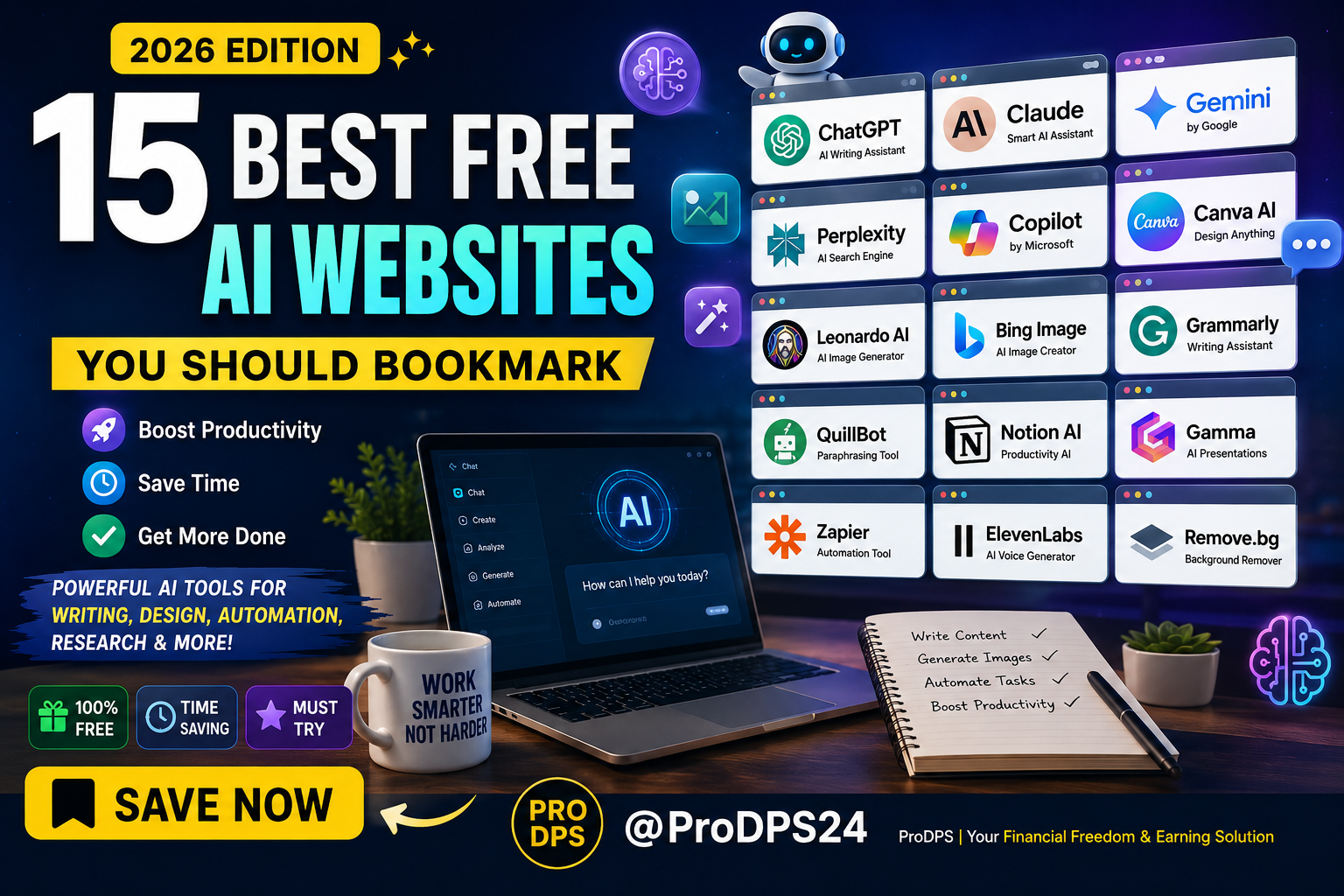
15 Best Free AI Websites You Should Bookmark in 2026
WhatsApp
Telegram
Facebook
Twitter
LinkedIn
Join Our WhatsApp Channel
Artificial intelligence is no longer just for developers or large companies. Today, anyone with an internet connection can use AI to write articles, create stunning images, summarize documents, automate repetitive work, translate languages, or even build presentations in minutes.
The best part?
Many of the world’s most powerful AI tools offer generous free plans that are more than enough for students, freelancers, content creators, entrepreneurs, marketers, and everyday users.
Instead of spending hours searching for reliable AI websites, we’ve compiled one carefully researched list featuring tools that genuinely save time and improve productivity.
Whether you want to:
- Write better content
- Generate amazing images
- Automate daily work
- Research faster
- Edit videos
- Improve your writing
- Organize your notes
- Build presentations
there’s an AI website that can help.
This guide introduces 15 of the best free AI websites worth bookmarking in 2026, explains what each tool does, who it’s best for, and how you can get the most
Why Free AI Websites Are More Powerful Than Ever
Just a few years ago, AI software was expensive and often required technical knowledge to use effectively. Fast forward to 2026, and the landscape has changed dramatically.
Many AI companies now offer free plans that provide enough features for everyday users. Competition between AI platforms has also accelerated innovation, resulting in smarter tools, faster performance, and easier interfaces.
Modern AI websites can now help with:
- Writing articles
- Creating marketing copy
- Designing social media graphics
- Editing photos
- Generating AI artwork
- Coding
- Researching complex topics
- Translating languages
- Summarizing PDFs
- Organizing projects
- Building presentations
These capabilities save hours of manual work every week.
How We Selected These AI Websites
Not every AI tool deserves a place on your bookmarks bar.
For this guide, we evaluated each website based on several important factors:
Truly Free Access
Some AI tools advertise themselves as free but become unusable after just a few prompts.
The websites featured here all provide meaningful functionality without requiring immediate payment.
Ease of Use
The best AI tools are intuitive. You shouldn’t need technical skills or extensive training to start using them.
Practical Value
Each recommendation solves real problems rather than offering novelty features.
Reliability
We prioritized platforms that have built strong reputations, receive regular updates, and maintain active user communities.
Productivity Impact
Every tool on this list should help you complete tasks faster or improve the quality of your work.
15 Best Free AI Websites
1. ChatGPT
Best for: Writing, brainstorming, coding, learning, research, and everyday questions.
ChatGPT remains one of the most versatile AI assistants available. Whether you’re drafting emails, creating blog outlines, solving programming problems, or learning new concepts, it delivers fast and natural responses.
Free Features
- Writing assistance
- Coding help
- Brainstorming ideas
- Study support
- Summaries
- Translation
- Creative writing
Ideal for:
- Bloggers
- Students
- Freelancers
- Business owners
- Developers
2. Claude
Best for: Long documents and thoughtful writing.
Claude excels at understanding lengthy PDFs, reports, contracts, and research papers.
Its conversational responses often feel more detailed and nuanced, making it a favorite among professionals and writers.
Highlights include:
- Large document analysis
- Better contextual understanding
- Professional writing
- Research assistance
- Content editing
3. Google Gemini
Best for: Google Workspace users.
Gemini integrates seamlessly with Google’s ecosystem, making it especially useful for people who rely on Gmail, Docs, Sheets, and Drive.
Its ability to combine search capabilities with AI reasoning makes it highly effective for research and productivity.
Useful features include:
- Email drafting
- Spreadsheet assistance
- Document summaries
- Research help
- Image understanding
4. Perplexity AI
Unlike traditional search engines, Perplexity provides direct answers backed by cited sources.
This makes it one of the best AI research assistants available.
It’s particularly valuable for:
- Students
- Journalists
- Researchers
- Bloggers
- Business professionals
Rather than clicking through multiple websites, users receive concise, referenced answers within seconds.
5. Microsoft Copilot
Microsoft Copilot combines conversational AI with web search to deliver current information, productivity support, and coding assistance.
It integrates particularly well with Microsoft 365 applications and Windows devices.
Free users can enjoy:
- AI chat
- Code generation
- Image generation
- Web search
- Writing assistance
6. Canva AI
Best for: Graphic design, social media posts, presentations, Pinterest pins, YouTube thumbnails, and marketing materials.
Canva has evolved far beyond a simple design platform. Its AI-powered tools help users generate images, write copy, remove backgrounds, resize designs, and even create complete presentations within minutes.
If you’re a content creator, small business owner, or marketer, Canva AI can significantly reduce the time spent designing professional-looking visuals.
Free Features
- Magic Design
- AI Image Generator
- Magic Write
- Background Remover (limited)
- Presentation Generator
- Social Media Templates
- Logo Creation
Best For
- Bloggers
- Pinterest creators
- YouTubers
- Etsy sellers
- Social media managers
Why Bookmark It?
Instead of starting every design from scratch, Canva AI gives you a polished first draft that you can customize in just a few clicks.
7. Leonardo AI
Best for: AI-generated artwork and realistic images.
Leonardo AI has quickly become one of the favorite AI image generators for designers, marketers, game developers, and digital artists.
Unlike many premium image generators, Leonardo offers generous daily free credits that allow users to create high-quality visuals without spending money.
Popular Uses
- Product mockups
- Fantasy artwork
- Pinterest graphics
- Concept art
- Book covers
- Website illustrations
- Marketing images
Why It Stands Out
Its image quality rivals many paid tools while giving free users enough credits for daily creative projects.
8. Bing Image Creator
Best for: Fast AI image generation.
Powered by OpenAI’s image models, Bing Image Creator lets users generate images from simple text prompts.
Whether you’re creating blog illustrations, thumbnails, social media graphics, or digital artwork, it delivers impressive results with an easy-to-use interface.
Great For
- Bloggers
- Teachers
- Designers
- Content marketers
- Students
Free Benefits
- Quick image generation
- High-quality artwork
- Simple interface
- Commercial inspiration
- No design experience required
9. Grammarly
Best for: Writing, grammar checking, and improving clarity.
Even experienced writers make mistakes.
Grammarly helps polish emails, articles, reports, essays, and social media posts by identifying grammar issues, spelling mistakes, awkward phrasing, and readability problems.
Free Features
- Grammar correction
- Spell checking
- Tone suggestions
- Clarity improvements
- Browser extension
- Writing assistance
Perfect for:
- Students
- Bloggers
- Business professionals
- Freelancers
- Job seekers
10. QuillBot
Best for: Rewriting and paraphrasing.
QuillBot is one of the most useful AI tools for rewriting sentences while preserving their original meaning.
It’s particularly valuable for students, researchers, bloggers, and writers looking to improve readability or avoid repetitive wording.
Features
- AI Paraphraser
- Grammar Checker
- Summarizer
- Citation Generator
- Translator
Common Uses
- Improving essays
- Rewriting articles
- Simplifying technical writing
- Creating unique content drafts
11. Notion AI
Best for: Productivity and note-taking.
If you already use Notion for organizing projects or personal knowledge management, its AI assistant can save hours every week.
Notion AI helps users summarize notes, brainstorm ideas, generate meeting summaries, create task lists, and organize information.
Ideal Users
- Entrepreneurs
- Teams
- Students
- Project managers
- Freelancers
12. Gamma
Best for: AI presentations.
Creating presentations manually often takes hours.
Gamma dramatically reduces this process by generating attractive slide decks from simple prompts.
Instead of spending time arranging layouts, users can focus on improving their ideas.
Free Capabilities
- AI presentation creation
- Professional layouts
- Interactive slides
- Quick editing
- Beautiful templates
13. Zapier
Best for: Automation.
Zapier connects thousands of apps together.
Rather than manually moving data between services, users can automate repetitive workflows.
Examples include:
- Save Gmail attachments to Google Drive
- Post WordPress articles automatically
- Share new blog posts on social media
- Create tasks from emails
- Sync spreadsheets
Even the free plan can automate dozens of repetitive tasks.
14. ElevenLabs
Best for: AI voice generation.
ElevenLabs produces remarkably realistic AI voices.
Content creators use it for:
- YouTube narration
- Audiobooks
- Podcasts
- Educational videos
- Voiceovers
Its natural speech quality has made it one of the most respected AI voice platforms available today.
15. Remove.bg
Best for: Background removal.
Instead of spending several minutes editing photos manually, Remove.bg removes image backgrounds in seconds.
It’s especially useful for:
- Ecommerce products
- Profile photos
- Marketing graphics
- Pinterest Pins
- Product listings
- Online stores
Comparison Table
| Website | Best For | Free Plan |
|---|---|---|
| ChatGPT | Writing & Research | ✅ |
| Claude | Long Documents | ✅ |
| Gemini | Google Workspace | ✅ |
| Perplexity | Research | ✅ |
| Copilot | Productivity | ✅ |
| Canva AI | Graphic Design | ✅ |
| Leonardo AI | AI Art | ✅ |
| Bing Image Creator | Images | ✅ |
| Grammarly | Writing | ✅ |
| QuillBot | Paraphrasing | ✅ |
| Notion AI | Productivity | ✅ |
| Gamma | Presentations | ✅ |
| Zapier | Automation | ✅ |
| ElevenLabs | Voice AI | ✅ |
| Remove.bg | Photo Editing | ✅ |
Which AI Website Should You Use?
Different users have different needs. Here’s a quick recommendation based on common goals:
For Bloggers
- ChatGPT
- Grammarly
- QuillBot
- Perplexity AI
- Canva AI
For Students
- Claude
- ChatGPT
- Perplexity
- Grammarly
- Gamma
For Designers
- Leonardo AI
- Canva AI
- Bing Image Creator
- Remove.bg
For Business Owners
- Zapier
- Notion AI
- ChatGPT
- Copilot
- Canva AI
For YouTubers
- ElevenLabs
- Canva AI
- ChatGPT
- Leonardo AI
Why You Should Bookmark These AI Websites
Technology evolves rapidly, but these tools have consistently demonstrated value by helping users:
- Save hours of manual work each week
- Produce higher-quality content
- Improve writing and communication
- Design professional visuals without advanced skills
- Automate repetitive tasks
- Research information more efficiently
- Boost creativity and productivity
Rather than relying on a single AI assistant, combining several specialized tools can create a powerful workflow tailored to your needs.
For example, you might use Perplexity AI for research, ChatGPT for drafting content, Grammarly for editing, Canva AI for designing visuals, and Zapier to automate publishing. This combination can dramatically streamline your daily work.
PART 3: Practical Guide, FAQs & Conclusion
Practical Tips & Actionable Checklist
Reading about AI tools is useful, but the real value comes from integrating them into your daily workflow. Start by choosing one or two tools that solve your biggest challenges, then gradually add more as needed.
Daily AI Productivity Checklist
✅ Bookmark your favorite AI websites.
✅ Use ChatGPT or Claude to brainstorm ideas before starting any writing project.
✅ Verify important facts with Perplexity AI instead of relying solely on AI-generated answers.
✅ Run all articles and emails through Grammarly before publishing or sending.
✅ Use QuillBot to improve readability rather than simply rewriting everything.
✅ Design blog graphics, Pinterest pins, and social media images with Canva AI.
✅ Generate unique illustrations using Leonardo AI or Bing Image Creator.
✅ Remove image backgrounds with Remove.bg for cleaner product photos and thumbnails.
✅ Automate repetitive tasks using Zapier to save time every week.
✅ Organize projects and meeting notes inside Notion AI.
Common Mistakes to Avoid
Even the best AI tools can produce poor results if used incorrectly. Here are some common mistakes and how to avoid them.
1. Depending on a Single AI Tool
No single AI platform excels at everything. Combining specialized tools often produces better results.
Better Approach: Use ChatGPT for drafting, Perplexity AI for research, Grammarly for editing, and Canva AI for design.
2. Accepting AI Output Without Reviewing It
AI can occasionally provide outdated or inaccurate information.
Always:
- Double-check facts.
- Verify statistics.
- Read everything before publishing.
- Edit for your brand’s tone and style.
3. Writing Weak Prompts
The quality of AI responses depends heavily on the prompt.
Instead of writing:
“Write a blog.”
Try:
“Write a 1,500-word beginner-friendly guide about passive income with practical examples, FAQs, and actionable tips.”
Specific prompts produce significantly better results.
4. Ignoring Privacy
Avoid entering confidential information, passwords, financial details, or sensitive customer data into public AI tools unless you understand their privacy policies.
5. Forgetting Human Creativity
AI should enhance your work—not replace your unique ideas, expertise, and personality.
The most engaging content combines AI efficiency with human insight.
Frequently Asked Questions (FAQs)
1. What is the best free AI website in 2026?
There isn’t a single “best” website for every task. ChatGPT is excellent for writing and brainstorming, Perplexity AI excels at research, Canva AI is ideal for design, and Zapier is one of the best choices for automation.
2. Are these AI websites really free?
Yes. Every website featured in this guide offers a free plan or free tier. While some have premium upgrades, their free versions provide enough features for most everyday users.
3. Which AI website is best for students?
Students can benefit from several tools:
- ChatGPT for explanations and study help
- Claude for analyzing long documents
- Perplexity AI for research with sources
- Grammarly for improving essays
- Gamma for creating presentations
4. Can AI replace Google Search?
Not entirely.
AI tools are excellent for summarizing information and answering questions quickly, but traditional search engines remain valuable for accessing official websites, recent news, and multiple perspectives.
Many users now combine both approaches for better results.
5. Which AI tool is best for content creators?
A powerful workflow might include:
- ChatGPT for content ideas
- Grammarly for editing
- Canva AI for graphics
- Leonardo AI for illustrations
- ElevenLabs for voiceovers
- Zapier for workflow automation
6. Are AI-generated images copyright-free?
It depends on the platform’s terms of service. Always review the licensing policies of the AI tool you’re using, especially if you plan to use generated images commercially.
7. Can beginners use these AI websites?
Absolutely. Most of the tools listed are designed with beginner-friendly interfaces and require no technical experience.
8. Which AI website saves the most time?
Zapier often provides the biggest long-term time savings by automating repetitive tasks. For content creation, ChatGPT and Canva AI can significantly reduce the time needed to write and design.
9. Should I pay for premium AI plans?
If you use AI occasionally, the free versions are usually sufficient. Professionals or businesses with higher usage needs may find premium plans worthwhile for increased limits and advanced features.
Expert Tips
Many beginners use AI tools individually, but experienced users create efficient workflows by combining multiple platforms.
Here are some proven strategies:
Build an AI Workflow
Instead of relying on one tool, connect several:
- Research with Perplexity AI
- Draft with ChatGPT
- Edit with Grammarly
- Create visuals in Canva AI
- Automate publishing with Zapier
This workflow can dramatically improve productivity.
Save Your Best Prompts
If a prompt generates excellent results, save it in a document or note-taking app. Reusing high-quality prompts ensures consistent output and saves time.
Stay Updated
AI evolves rapidly. New features, models, and tools are released frequently. Periodically review your workflow to take advantage of the latest improvements.
Use AI as a Collaborator
Treat AI as a creative partner rather than a replacement for your own expertise. The best results come from combining AI-generated drafts with your personal knowledge and editing.
Key Takeaways
- AI websites can significantly improve productivity without requiring large investments.
- Free plans are often sufficient for students, freelancers, and small businesses.
- Different tools specialize in different tasks—writing, design, research, automation, and voice generation.
- Combining multiple AI platforms creates a more efficient workflow than relying on a single tool.
- Human review remains essential for accuracy, originality, and quality.
- Learning how to write effective prompts can greatly improve AI-generated results.
- Bookmarking and regularly using these tools can save hours of work each week.
Final Conclusion
Artificial intelligence has become an essential part of modern work, learning, and creativity. Whether you’re writing articles, designing graphics, conducting research, automating repetitive tasks, or creating presentations, there’s an AI tool that can make the process faster and more efficient.
The 15 free AI websites featured in this guide demonstrate that powerful technology is now accessible to everyone. By experimenting with these platforms and combining them into a personalized workflow, you can increase productivity, improve the quality of your work, and stay ahead in an increasingly AI-driven world.
Remember that AI is most effective when paired with your own judgment, creativity, and expertise. Use these tools to enhance your abilities—not replace them—and you’ll get the greatest long-term value.
Found this guide helpful?
Save it to Pinterest so you can easily return to these AI websites whenever you need them.
If you know someone looking to work smarter, share this article with them. You can also explore more AI tools, productivity resources, digital guides, and helpful tutorials on ProDPS.com to discover practical ways to save time and grow your skills.
---Advertisement---
[adinserter block="1"]
LATEST post
Nelko P21 Label Maker Machine with Tape, Bluetooth Label Printer, White
October 26, 2026
7:47 pm

Quntis Monitor Light Bar Review for a Better Home Office
October 26, 2026
7:34 pm

Swagbucks & InboxDollars $20 Bonus Method – Earning Guide
August 20, 2026
7:59 am

TextNow Account Create Method – Complete Guide for Beginners
August 19, 2026
10:43 pm

SMM Panel কী? Social Media Services ও Marketing Guide 2026
August 18, 2026
9:59 pm