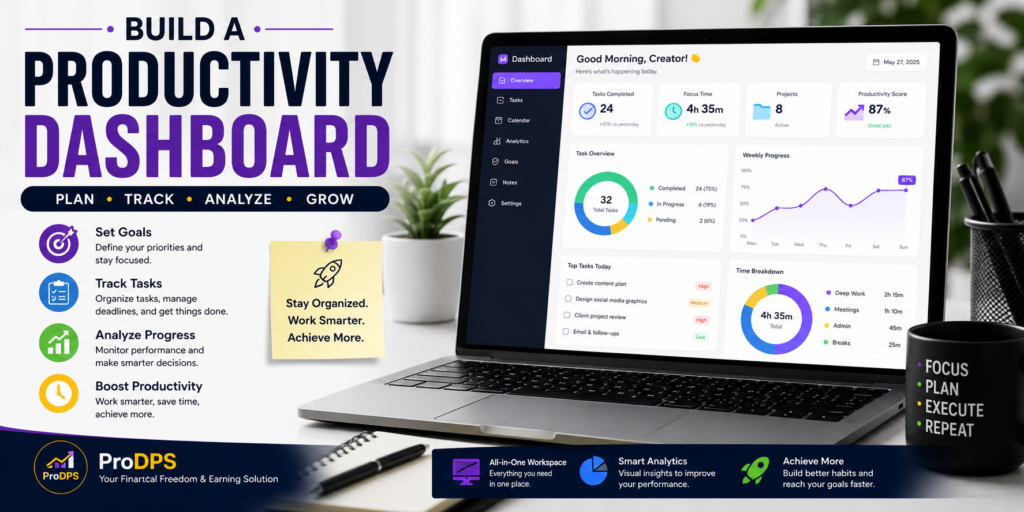
Build a Productivity Dashboard: Stay Organized and Get More Done
Managing multiple tasks, deadlines, and personal goals can quickly become overwhelming. Whether you’re a freelancer, entrepreneur, student, or remote employee, staying organized is essential for long-term success.
A productivity dashboard brings everything together in one place. Instead of switching between different apps, notebooks, and spreadsheets, you can monitor your projects, schedule your day, and track your progress from a single workspace.
This guide explains what a productivity dashboard is, why it matters, and how you can create one that helps you work smarter every day.
What Is a Productivity Dashboard?
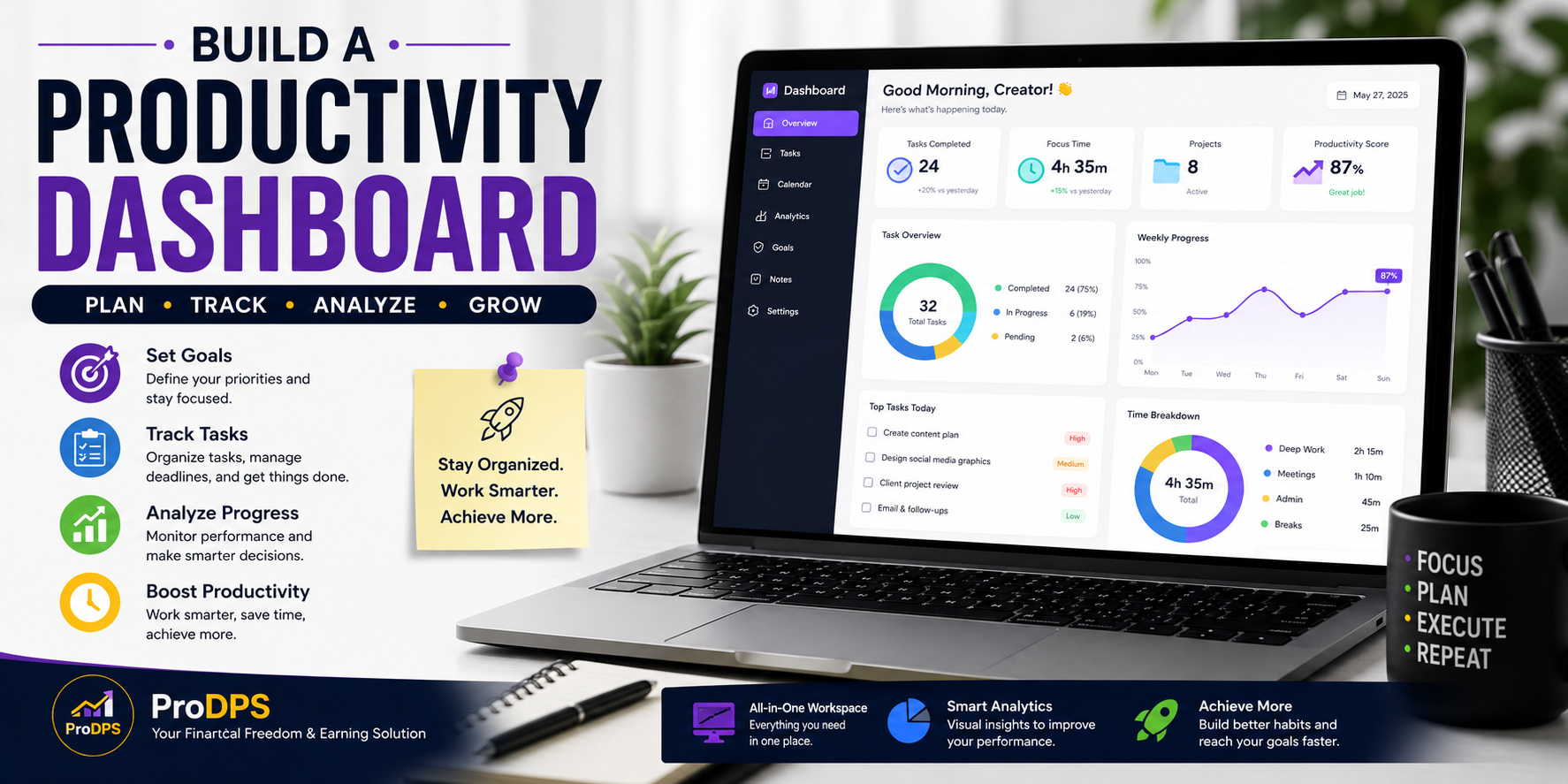
A productivity dashboard is a digital workspace that displays the most important information about your daily work and goals.
Instead of searching through multiple applications, you can instantly view:
- Daily tasks
- Weekly goals
- Project progress
- Calendar events
- Deadlines
- Time tracking
- Notes
- Performance metrics
Everything is organized into one easy-to-read interface that helps you stay focused throughout the day.
Why You Should Use a Productivity Dashboard
Using a productivity dashboard provides several benefits:
Better Organization
All important information is available in one place, reducing confusion and saving valuable time.
Improved Focus
Knowing exactly what needs attention helps eliminate distractions and increases productivity.
Easier Goal Tracking
Visual progress indicators make it easier to stay motivated and complete long-term objectives.
Time Savings
Instead of opening several different tools, you can manage your entire workflow from one dashboard.
Reduced Stress
A clear overview of your responsibilities makes even busy schedules feel more manageable.
Essential Features of a Great Productivity Dashboard
An effective dashboard should include several key sections.
Task Manager
Create tasks with priorities, deadlines, and completion status.
Example:
- High Priority
- Medium Priority
- Low Priority
Calendar View
A built-in calendar helps you:
- Schedule meetings
- Plan work sessions
- Remember important deadlines
- Balance personal and professional commitments
Goal Tracker
Set measurable goals and monitor your progress using charts or completion percentages.
Examples include:
- Finish a project
- Publish weekly content
- Complete online courses
- Reach financial targets
Analytics and Progress Reports
Visual charts help you understand:
- Completed tasks
- Remaining work
- Weekly productivity
- Monthly performance
- Time spent on projects
Seeing your progress encourages consistency.
Notes Section
Keep quick ideas, reminders, meeting notes, or project updates in one convenient location.
How AI Makes Productivity Dashboards Smarter
Modern productivity dashboards often include AI-powered features that help automate routine work.
Examples include:
- Automatic task prioritization
- Smart reminders
- AI-generated summaries
- Meeting notes
- Workflow suggestions
- Project recommendations
These features reduce manual work and help you stay focused on meaningful tasks.
Best Practices for Building an Effective Dashboard
Follow these practical tips to create a dashboard you’ll actually use.
Keep It Simple
Avoid clutter by displaying only the information you need every day.
Use Clear Categories
Separate work into sections such as:
- Personal
- Business
- Content Creation
- Finance
- Learning
Review Daily
Spend five minutes each morning reviewing your dashboard.
Update Regularly
Remove completed tasks and adjust priorities as your workload changes.
Track Progress
Celebrate completed milestones to stay motivated.
Common Mistakes to Avoid
Many people create dashboards that become difficult to maintain.
Avoid these common mistakes:
- Adding too many widgets
- Tracking unnecessary information
- Ignoring completed tasks
- Forgetting to update goals
- Using too many separate tools
A simple dashboard is usually the most effective.
Who Can Benefit From a Productivity Dashboard?
A productivity dashboard is useful for almost everyone, including:
- Freelancers
- Business owners
- Students
- Content creators
- Digital marketers
- Remote employees
- Project managers
- Teams
- Entrepreneurs
No matter your profession, better organization leads to better results.
Final Thoughts
A productivity dashboard is more than just a collection of charts and task lists. It is a practical system that helps you organize your work, reduce stress, and make consistent progress toward your goals.
The best dashboard is one that fits your workflow and is easy to maintain. Start with the essentials, update it regularly, and focus on completing meaningful work rather than simply staying busy.
By building a well-designed productivity dashboard, you can improve efficiency, save time, and create a more balanced approach to work and personal life.
Key Takeaways
- Centralize your tasks and projects.
- Track goals with measurable progress.
- Monitor deadlines and important events.
- Use AI features to automate repetitive work.
- Keep your dashboard simple and easy to maintain.
- Review and update it daily for the best results.
About ProDPS
At ProDPS, we publish practical guides on productivity, digital tools, AI workflows, passive income, and personal finance to help individuals work smarter and achieve their goals. Follow our latest articles for more actionable tips and resources.