Artificial intelligence has evolved from a futuristic concept into a practical productivity partner. Whether you’re a freelancer juggling multiple clients, a student managing assignments, an entrepreneur growing a business, or an office professional handling daily tasks, AI tools can dramatically reduce repetitive work and help you focus on what truly matters.
Instead of spending hours writing emails, organizing notes, designing graphics, scheduling meetings, or managing projects manually, modern AI-powered applications can complete many of these tasks in minutes. The result is not only significant time savings but also improved accuracy, better organization, and less stress.
The best part? Many of today’s leading AI tools offer free plans or affordable pricing, making them accessible to almost everyone. You don’t need to be a programmer or technology expert to benefit from artificial intelligence.
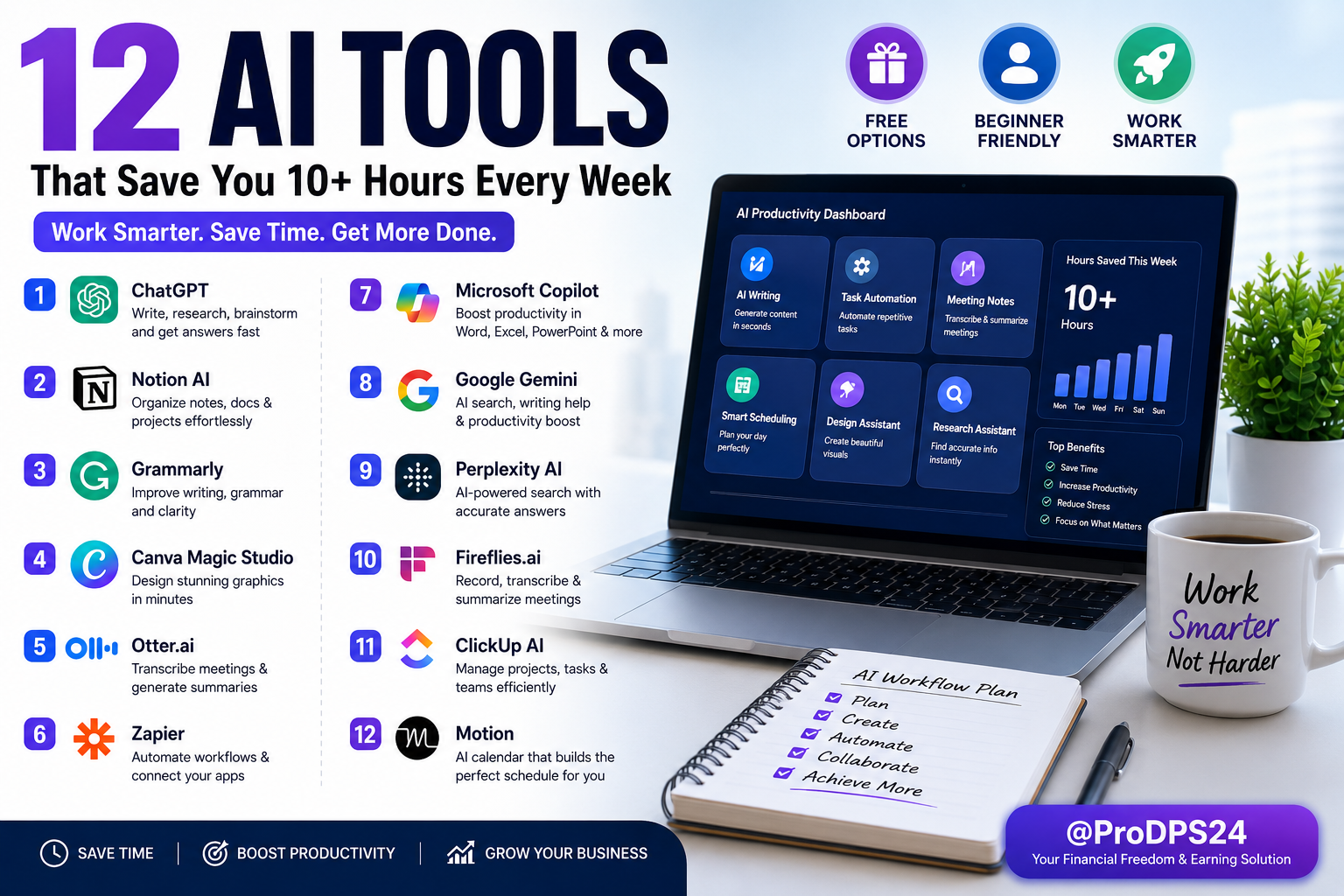
In this comprehensive guide, you’ll discover twelve carefully selected AI tools that can collectively save more than 10 hours every week. We’ll explore what each tool does, who it’s best for, its key features, and practical ways to integrate it into your daily workflow.
Why AI Productivity Tools Matter
Every day, professionals lose valuable time to repetitive tasks such as:
- Responding to routine emails
- Scheduling meetings
- Taking meeting notes
- Organizing documents
- Creating presentations
- Editing content
- Managing projects
- Searching for information
- Brainstorming ideas
- Formatting documents
While each task may only take a few minutes, together they can consume several hours every week.
AI productivity tools automate or simplify these activities, allowing you to spend more time on strategic thinking, creativity, learning, and business growth.
How AI Can Save You More Than 10 Hours Every Week
Artificial intelligence helps improve productivity in several ways:
Faster Content Creation
AI writing assistants can generate outlines, summarize long documents, improve grammar, rewrite paragraphs, and help overcome writer’s block.
Workflow Automation
Automation platforms connect your favorite apps so repetitive tasks happen automatically without manual effort.
Smarter Project Management
AI-powered project management tools organize tasks, recommend priorities, generate summaries, and keep teams aligned.
Better Communication
AI can draft professional emails, summarize meetings, translate content, and create reports within seconds.
Improved Organization
Modern AI assistants help organize notes, calendars, documents, reminders, and daily schedules.
What Makes a Great AI Productivity Tool?
Before choosing an AI tool, consider these important factors:
Ease of Use
The best tools have intuitive interfaces that beginners can learn quickly without extensive training.
Automation Features
Look for software that eliminates repetitive work rather than simply adding another task to your workflow.
Integration Support
Choose tools that work seamlessly with applications you already use, such as Google Workspace, Microsoft 365, Slack, Zoom, Dropbox, or project management platforms.
Free Plan Availability
Many excellent AI tools offer generous free plans, allowing you to test features before upgrading.
Security and Privacy
If you work with sensitive information, prioritize platforms with strong security practices and transparent privacy policies.
Who Can Benefit from AI Productivity Tools?
AI isn’t just for large companies. These tools can help almost anyone improve efficiency.
Freelancers
- Write proposals faster
- Organize client projects
- Automate repetitive administrative tasks
Students
- Summarize study materials
- Organize research notes
- Improve writing quality
- Plan assignments
Small Business Owners
- Create marketing content
- Manage customer communication
- Automate business workflows
- Improve team collaboration
Content Creators
- Generate content ideas
- Draft articles
- Design graphics
- Edit videos
- Schedule publishing
Marketing Professionals
- Create social media content
- Optimize campaigns
- Analyze data
- Automate repetitive marketing tasks
How to Get the Most Value from AI
AI works best when used as a productivity assistant rather than a replacement for your expertise.
Follow these simple principles:
- Review AI-generated content before publishing.
- Add your own insights and experience.
- Use AI to automate repetitive work instead of important decision-making.
- Combine multiple AI tools into a streamlined workflow.
- Continue learning new features as AI technology evolves.
By approaching AI this way, you’ll save time while maintaining high-quality work and a personal touch.
1. ChatGPT – Your Everyday AI Assistant
Best For
Writing, brainstorming, research, coding assistance, planning, and everyday productivity.
Why It Saves Time
Instead of starting every task from scratch, ChatGPT helps you generate ideas, draft content, summarize information, answer questions, and solve problems in minutes.
Key Features
- Write emails and blog posts
- Brainstorm ideas
- Summarize long documents
- Generate social media captions
- Translate content
- Explain complex topics
- Create outlines and checklists
- Help with coding and debugging
Practical Example
Instead of spending an hour creating a blog outline, you can generate a structured draft in a few minutes and then customize it with your own expertise.
Time Saved Weekly
Approximately 2–4 hours
Pros
- Beginner-friendly
- Supports hundreds of tasks
- Available on desktop and mobile
- Great free version
Best For
- Students
- Bloggers
- Freelancers
- Entrepreneurs
- Marketers
- Small businesses
2. Notion AI – Smart Workspace for Notes and Projects
Best For
Project planning, note-taking, documentation, and team collaboration.
Why It Saves Time
Notion AI helps organize information, summarize notes, generate action items, and create structured documents without manually formatting everything.
Key Features
- AI writing assistance
- Meeting summaries
- Task organization
- Knowledge management
- Document templates
- Brainstorming support
Practical Example
After a meeting, you can turn raw notes into a clean summary with action items in seconds.
Time Saved Weekly
Approximately 1–2 hours
Pros
- Excellent organization
- Ideal for teams
- Easy collaboration
- Highly customizable
3. Grammarly – AI Writing and Editing Assistant
Best For
Improving writing quality across emails, reports, blogs, and business communication.
Why It Saves Time
Instead of proofreading every sentence manually, Grammarly checks grammar, punctuation, spelling, clarity, tone, and readability instantly.
Key Features
- Grammar correction
- Tone suggestions
- Clarity improvements
- Plagiarism checking (Premium)
- Writing style recommendations
- Browser extension
Practical Example
Before sending an important client email, Grammarly instantly catches mistakes and improves professionalism.
Time Saved Weekly
Approximately 1–2 hours
Pros
- Easy to use
- Works almost everywhere
- Improves confidence
- Helpful for non-native English writers
4. Canva Magic Studio – AI Design Made Simple
Best For
Creating social media graphics, presentations, posters, Pinterest pins, marketing materials, and business visuals.
Why It Saves Time
You don’t need advanced graphic design skills. Canva’s AI features generate layouts, resize designs automatically, remove backgrounds, create images, and suggest professional templates.
Key Features
- AI image generation
- Magic Design
- Background remover
- Magic Resize
- Presentation creator
- Brand kit
- Social media templates
Practical Example
A Pinterest creator can design multiple branded pins in under 30 minutes instead of spending several hours.
Time Saved Weekly
Approximately 2–3 hours
Pros
- Huge template library
- Beginner-friendly
- Excellent collaboration
- Cloud-based editing
5. Otter.ai – Automatic Meeting Notes
Best For
Meetings, interviews, lectures, webinars, and online discussions.
Why It Saves Time
Instead of manually writing notes during meetings, Otter.ai automatically records, transcribes, and summarizes conversations.
Key Features
- Live transcription
- Meeting summaries
- Speaker identification
- Searchable transcripts
- Zoom integration
- AI-generated action items
Practical Example
After a one-hour meeting, receive an organized transcript and summary without writing a single note.
Time Saved Weekly
Approximately 1–2 hours
Pros
- Accurate transcription
- Easy sharing
- Saves meeting time
- Great for remote teams
6. Zapier – AI Workflow Automation
Best For
Connecting apps and automating repetitive business tasks.
Why It Saves Time
Zapier allows different applications to communicate automatically, eliminating repetitive manual work.
Common Automations
- Save email attachments automatically
- Create tasks from forms
- Send Slack notifications
- Publish social media posts
- Update spreadsheets
- Generate CRM contacts
- Backup files automatically
Practical Example
Every new website lead can automatically be added to your CRM, email list, Google Sheets, and project management software—without any manual work.
Time Saved Weekly
Approximately 2–5 hours
Pros
- Supports thousands of apps
- No coding required
- Powerful automation
- Scales with businesses
Productivity Snapshot
| AI Tool | Primary Use | Estimated Time Saved per Week |
|---|---|---|
| ChatGPT | Writing, research, brainstorming | 2–4 hours |
| Notion AI | Notes and project management | 1–2 hours |
| Grammarly | Writing improvement | 1–2 hours |
| Canva Magic Studio | Graphic design | 2–3 hours |
| Otter.ai | Meeting transcription | 1–2 hours |
| Zapier | Workflow automation | 2–5 hours |
Quick Tip
You don’t need to use all six tools to see results. Start with one or two that solve your biggest productivity challenges, then gradually build an AI-powered workflow as your needs grow. Even small automations can save significant time over weeks and months.
7. Microsoft Copilot – Your AI Assistant for Microsoft 365
Best For
Professionals and businesses that use Microsoft Word, Excel, PowerPoint, Outlook, and Teams.
Why It Saves Time
Microsoft Copilot works directly inside Microsoft 365 applications, helping you draft documents, summarize emails, analyze spreadsheets, and create presentations with simple prompts.
Key Features
- Generate Word documents
- Summarize long email threads
- Analyze Excel data
- Create PowerPoint presentations
- Summarize Microsoft Teams meetings
- Generate reports automatically
Practical Example
Instead of spending an hour preparing a presentation from quarterly sales data, Copilot can generate a polished first draft in just a few minutes.
Estimated Time Saved
2–3 hours per week
Best For
- Office professionals
- Managers
- Sales teams
- Business owners
- Corporate employees
8. Google Gemini – AI for Everyday Work
Best For
Research, writing, planning, brainstorming, and productivity within the Google ecosystem.
Why It Saves Time
Gemini helps users summarize documents, answer questions, organize ideas, generate content, and assist with research while integrating with Google Workspace.
Key Features
- Content generation
- Research assistance
- Gmail support
- Google Docs integration
- Spreadsheet help
- Planning assistance
Practical Example
Need to summarize a lengthy research document before a meeting? Gemini can produce concise key points within minutes.
Estimated Time Saved
1–3 hours per week
Pros
- Easy to use
- Strong Google Workspace integration
- Helpful for students and professionals
9. Perplexity AI – Smarter AI Search
Best For
Finding reliable information quickly.
Why It Saves Time
Instead of opening dozens of browser tabs, Perplexity AI delivers concise answers with references, making research faster and more organized.
Key Features
- AI-powered search
- Source citations
- Follow-up questions
- Fast research
- Current information
- Simple interface
Practical Example
A marketer researching industry trends can gather useful insights in minutes rather than spending hours searching manually.
Estimated Time Saved
1–2 hours per week
Pros
- Fast research
- Easy fact checking
- Helpful source references
10. Fireflies.ai – AI Meeting Assistant
Best For
Remote teams, interviews, online meetings, and client calls.
Why It Saves Time
Fireflies.ai automatically records conversations, generates searchable transcripts, highlights important moments, and creates meeting summaries.
Key Features
- Meeting recording
- AI transcription
- Action items
- Team collaboration
- Searchable conversations
- CRM integrations
Practical Example
Sales teams can review customer conversations without manually taking notes during every meeting.
Estimated Time Saved
1–2 hours per week
11. ClickUp AI – Intelligent Project Management
Best For
Managing tasks, projects, deadlines, and team collaboration.
Why It Saves Time
ClickUp AI helps organize projects, generate documentation, summarize updates, and recommend next steps, reducing manual project administration.
Key Features
- AI writing
- Task summaries
- Project planning
- Workflow automation
- Team collaboration
- Knowledge management
Practical Example
Project managers can automatically generate weekly progress reports instead of creating them manually.
Estimated Time Saved
2–3 hours per week
12. Motion – AI Calendar & Task Scheduling
Best For
Busy professionals with multiple priorities.
Why It Saves Time
Motion automatically builds an optimized daily schedule based on deadlines, meetings, priorities, and available time.
Instead of constantly rearranging your calendar, Motion keeps your schedule updated automatically.
Key Features
- AI calendar
- Automatic scheduling
- Task prioritization
- Deadline tracking
- Smart planning
- Focus time management
Practical Example
If a meeting is canceled, Motion automatically reorganizes your remaining tasks without requiring manual planning.
Estimated Time Saved
2–4 hours per week
Comparison Table: 12 Best AI Productivity Tools
| Tool | Best For | Beginner Friendly | Free Plan | Estimated Weekly Time Saved |
|---|---|---|---|---|
| ChatGPT | Writing & Ideas | ✅ | ✅ | 2–4 hrs |
| Notion AI | Notes & Projects | ✅ | Limited | 1–2 hrs |
| Grammarly | Writing | ✅ | ✅ | 1–2 hrs |
| Canva Magic Studio | Design | ✅ | Limited | 2–3 hrs |
| Otter.ai | Meeting Notes | ✅ | ✅ | 1–2 hrs |
| Zapier | Automation | Moderate | ✅ | 2–5 hrs |
| Microsoft Copilot | Office Work | ✅ | Paid | 2–3 hrs |
| Google Gemini | Research | ✅ | ✅ | 1–3 hrs |
| Perplexity AI | AI Search | ✅ | ✅ | 1–2 hrs |
| Fireflies.ai | Meetings | ✅ | Limited | 1–2 hrs |
| ClickUp AI | Project Management | Moderate | Limited | 2–3 hrs |
| Motion | Smart Scheduling | ✅ | Trial | 2–4 hrs |
How to Build an AI Productivity Workflow
One AI tool is helpful, but combining several tools creates an even more efficient workflow.
Morning Planning
- Review your schedule with Motion.
- Check priorities in ClickUp AI.
- Plan your day in Notion AI.
Content & Communication
- Draft emails and documents with ChatGPT.
- Polish your writing using Grammarly.
- Design visuals in Canva Magic Studio.
Research
- Use Perplexity AI or Google Gemini to gather accurate information quickly.
Meetings
- Let Otter.ai or Fireflies.ai record and summarize discussions automatically.
Automation
- Use Zapier to connect your favorite apps so routine tasks happen automatically.
Sample AI-Powered Daily Workflow
| Time | Activity | AI Tool |
|---|---|---|
| 8:30 AM | Plan daily schedule | Motion |
| 9:00 AM | Review tasks | ClickUp AI |
| 10:00 AM | Research topic | Perplexity AI |
| 11:00 AM | Write content | ChatGPT |
| 12:00 PM | Edit writing | Grammarly |
| 2:00 PM | Team meeting | Fireflies.ai |
| 3:00 PM | Create graphics | Canva |
| 4:00 PM | Automate repetitive tasks | Zapier |
How to Choose the Right AI Tool
When selecting an AI tool, ask yourself:
- What repetitive task consumes the most time?
- Do I need writing, design, scheduling, or automation?
- Does it integrate with the apps I already use?
- Is the free version enough for my needs?
- Can I realistically use it every day?
Choosing tools that solve your biggest productivity challenges will deliver the greatest return on your time and effort.
By building a simple AI-powered workflow, you can reduce repetitive work, stay organized, and focus on high-value activities that drive better results.