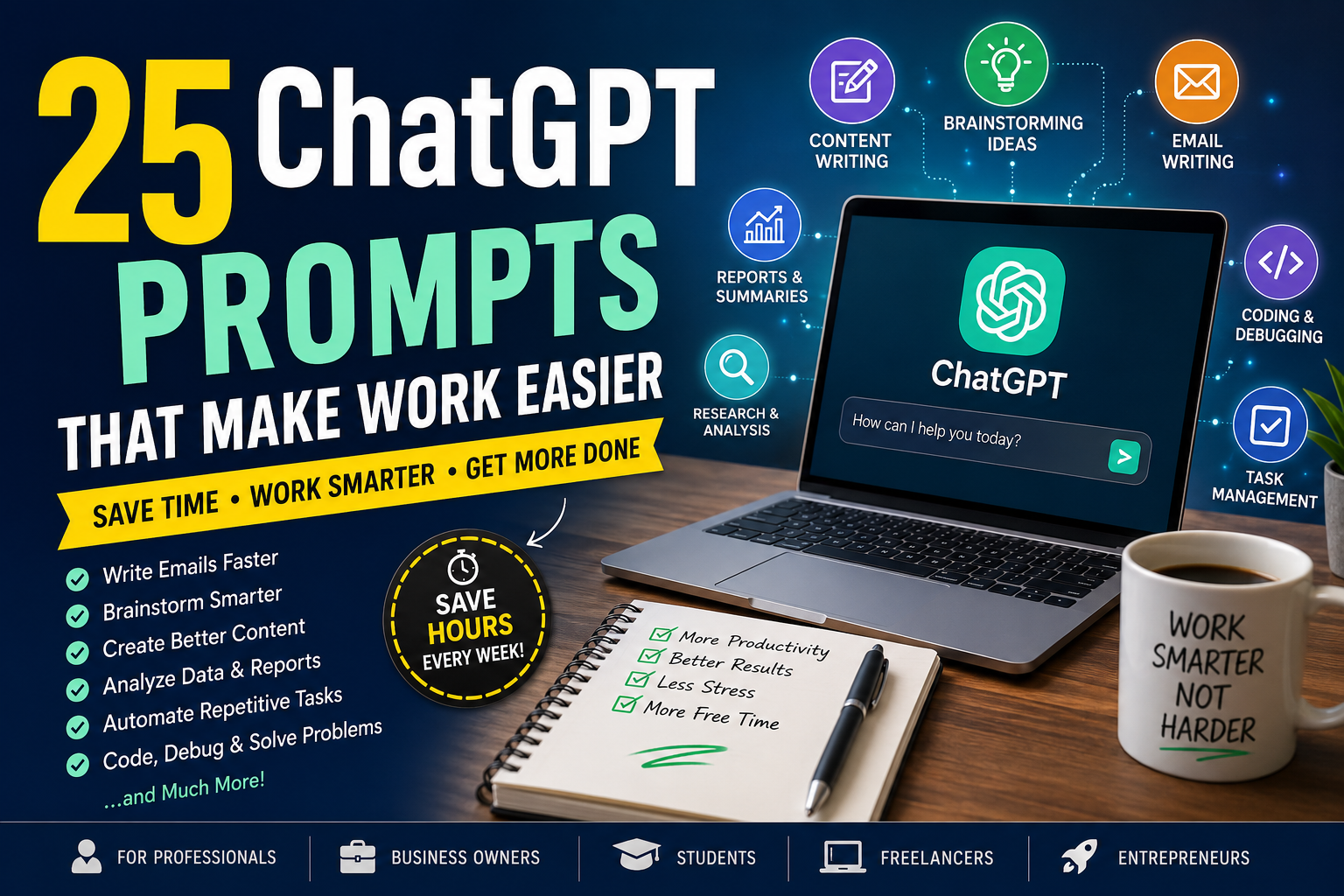
25 ChatGPT Prompts That Make Work Easier: Save Time, Write Better & Boost Productivity
WhatsApp
Telegram
Facebook
Twitter
LinkedIn
Join Our WhatsApp Channel
Why Good ChatGPT Prompts Matter
Most people think ChatGPT is limited because they ask vague questions like:
“Write an email.”
The response might be acceptable—but not exceptional.
Instead, consider this prompt:
“Write a friendly follow-up email to a client who requested a pricing quote three days ago. Keep the tone professional, under 150 words, and end with a clear call to action.”
Notice the difference?
The second prompt provides:
- Context
- Audience
- Tone
- Length
- Goal
- Expected output
The more specific your instructions, the more useful ChatGPT becomes.
The Anatomy of an Effective Prompt
High-performing prompts usually include several key elements:
Role
Tell ChatGPT who it should act as.
Example:
Act as an experienced marketing consultant.
Goal
Clearly explain what you want.
Example:
Help me create an email campaign for a product launch.
Audience
Describe who will read the output.
Example:
Target small business owners.
Tone
Examples include:
- Professional
- Friendly
- Persuasive
- Formal
- Casual
- Educational
Format
Specify how you want the response.
Examples:
- Bullet points
- Table
- Step-by-step guide
- Checklist
- Blog post
Prompt #1 — Write Better Emails
Instead of writing emails from scratch, use ChatGPT as your professional writing assistant.
Prompt
Write a professional email replying to a customer inquiry. Keep it polite, concise, and include a clear next step.
Best for:
- Customer support
- Sales
- Freelancers
- Office workers
Prompt #2 — Summarize Long Documents
Reading long reports consumes valuable time.
Use ChatGPT to summarize key points.
Prompt
Summarize this document into five key takeaways. Explain each point in simple language and include recommended actions.
Perfect for:
- Reports
- Research papers
- Meeting notes
- Whitepapers
Prompt #3 — Brainstorm New Ideas
Creative blocks happen to everyone.
ChatGPT can generate dozens of fresh ideas within seconds.
Prompt
Generate 30 creative blog post ideas for a website about AI productivity tools. Organize them by beginner, intermediate, and advanced readers.
Prompt #4 — Improve Existing Writing
Instead of rewriting everything yourself:
Prompt
Rewrite this article to improve clarity, engagement, readability, and SEO while keeping the original meaning.
Great for:
- Blog posts
- Product descriptions
- Landing pages
- Newsletters
Prompt #5 — Explain Complex Topics
Learning becomes easier when information is simplified.
Prompt
Explain this topic as if teaching a complete beginner. Use simple examples and avoid technical jargon.
Excellent for:
- Students
- Teachers
- Self-learners
- Professionals entering a new field
Prompt #6 — Generate Professional Reports
Preparing reports often requires organizing scattered information into a polished document.
Prompt
Create a professional report based on these notes. Include an executive summary, key findings, recommendations, and a conclusion.
This prompt is useful for business meetings, project updates, client presentations, and internal documentation. It helps transform rough ideas into a clear, structured report that is easy to read and share.
Prompt #7 — Create Meeting Summaries
Meetings generate valuable information, but reviewing long notes can be time-consuming.
Prompt
Turn these meeting notes into a concise summary with action items, assigned responsibilities, deadlines, and key decisions.
This prompt helps teams stay organized and ensures everyone understands the next steps without reading pages of notes.
Prompt #8 — Brainstorm Marketing Campaigns
Marketing campaigns require creativity, audience research, and clear messaging. ChatGPT can speed up the planning process by generating multiple campaign concepts.
Prompt
Act as a digital marketing strategist. Create five marketing campaign ideas for a new online product. Include the target audience, campaign goal, key message, suggested content formats, and a call-to-action for each idea.
Best for:
- Small businesses
- Ecommerce stores
- Freelancers
- Marketing agencies
Pro Tip: Ask ChatGPT to tailor campaigns for specific platforms like Facebook, Instagram, Pinterest, LinkedIn, or TikTok.
Prompt #9 — Generate Social Media Content
Creating fresh social media content every day can be challenging.
Prompt
Create a 30-day social media content calendar for my business. Include engaging captions, posting ideas, hashtags, and recommended posting times.
This works well for:
- X (Twitter)
Prompt #10 — Write Better Blog Outlines
A strong outline makes writing much faster.
Prompt
Create a detailed SEO-friendly blog outline about [topic]. Include H2 and H3 headings, FAQs, featured snippet opportunities, and keyword suggestions.
Why it’s useful:
- Organizes ideas logically
- Improves SEO
- Reduces writer’s block
- Saves editing time
Prompt #11 — Improve SEO Content
Publishing content without SEO optimization often limits its visibility.
Prompt
Analyze this article and recommend improvements for SEO, readability, headings, keyword placement, internal links, and user engagement.
Great for:
- Bloggers
- Content marketers
- Website owners
Prompt #12 — Generate Product Descriptions
Writing product descriptions for dozens of products can take hours.
Prompt
Write an engaging product description highlighting features, benefits, ideal customers, and a persuasive call-to-action.
Ideal for:
- WooCommerce
- Shopify
- Etsy
- Amazon listings
Prompt #13 — Create Customer Support Responses
Fast customer service improves customer satisfaction.
Prompt
Write a polite and professional response to this customer issue. Show empathy, provide a solution, and end with a friendly closing.
Useful for:
- Ecommerce
- SaaS businesses
- Agencies
- Service providers
Prompt #14 — Explain Data Clearly
Large datasets can be difficult to understand.
Prompt
Explain this spreadsheet in simple language. Identify trends, unusual values, key insights, and recommended actions.
Excellent for:
- Business reports
- Sales data
- Marketing analytics
- Financial summaries
Prompt #15 — Learn a New Skill Faster
ChatGPT can act as a personal tutor.
Prompt
Create a beginner-friendly learning plan for [skill]. Break it into weekly lessons with practice exercises and recommended resources.
Examples:
- Excel
- Python
- Digital Marketing
- Graphic Design
- Public Speaking
Prompt #16 — Debug Code
Developers often spend hours finding simple coding errors.
Prompt
Review this code, explain the error, suggest improvements, optimize performance, and provide the corrected version with comments.
Supported languages include:
- Python
- JavaScript
- PHP
- HTML
- CSS
- SQL
- C#
- Java
Prompt #17 — Translate and Localize Content
Translation is more than converting words—it also involves adapting tone and context.
Prompt
Translate this content into natural, fluent English while preserving its original meaning and adapting it for a professional audience.
Useful for:
- Websites
- Marketing materials
- Business documents
- Emails
Prompt #18 — Plan Projects
Keeping projects organized is easier with AI assistance.
Prompt
Create a project plan including objectives, milestones, timeline, risks, responsibilities, and success metrics.
Ideal for:
- Teams
- Freelancers
- Agencies
- Business owners
Prompt #19 — Create Checklists
Checklists reduce mistakes and improve consistency.
Prompt
Create a detailed checklist for completing [task]. Organize it into preparation, execution, review, and follow-up stages.
Examples include:
- Website launch
- Product launch
- Client onboarding
- Event planning
- Content publishing
Prompt #20 — Generate Presentation Slides
Creating presentations can be time-consuming.
Prompt
Create a professional presentation outline on [topic]. Include slide titles, key talking points, visual suggestions, and speaker notes.
Perfect for:
- Business meetings
- Training sessions
- Conferences
- School projects
Prompt #21 — Improve Time Management
Many professionals struggle with prioritizing tasks.
Prompt
Organize my daily task list using the Eisenhower Matrix. Categorize each task by urgency and importance, then recommend an efficient work schedule.
Benefits:
- Better focus
- Less procrastination
- Increased productivity
Prompt #22 — Research a Topic
Quick research is one of ChatGPT’s most valuable capabilities.
Prompt
Provide a beginner-friendly overview of [topic], including key concepts, common terminology, advantages, disadvantages, and reliable resources for further learning.
Remember to verify important facts using trusted sources, especially for financial, legal, or medical topics.
Prompt #23 — Generate Business Ideas
Aspiring entrepreneurs often need inspiration.
Prompt
Suggest 20 online business ideas based on my skills, budget, interests, and available time. Include earning potential, startup costs, and difficulty level.
This prompt helps identify realistic opportunities aligned with your goals.
Prompt #24 — Automate Repetitive Tasks
Many repetitive tasks can be streamlined with AI.
Prompt
Review my workflow and suggest tasks that can be automated using AI tools. Explain the benefits, estimated time savings, and recommended software.
Examples include:
- Email drafting
- Data entry
- Meeting summaries
- Social media scheduling
- Customer support
Prompt #25 — Improve Decision-Making
Complex decisions become easier when information is organized.
Prompt
Compare these options using a decision matrix. Evaluate the pros, cons, costs, risks, benefits, and provide a recommendation based on my priorities.
Great for choosing:
- Software
- Business tools
- Investments
- Career options
- Service providers
Combining Prompts for Even Better Results
One of the biggest productivity gains comes from combining prompts into a workflow instead of using them individually.
For example:
- Brainstorm blog ideas.
- Generate an SEO-friendly outline.
- Write the first draft.
- Improve readability.
- Optimize for search engines.
- Create social media captions.
- Write a Pinterest description.
- Generate a newsletter promoting the article.
By chaining prompts together, you can complete in an hour what might otherwise take an entire day.
Real-World Productivity Workflow
Imagine you’re launching a new digital product:
- Ask ChatGPT to research your target audience.
- Generate product name ideas.
- Write a compelling product description.
- Create an SEO-friendly blog post.
- Draft promotional emails.
- Generate Facebook and LinkedIn posts.
- Create Pinterest titles and descriptions.
- Brainstorm YouTube video ideas.
- Develop a customer FAQ.
- Write customer support responses.
Instead of juggling multiple tools, ChatGPT helps streamline the entire workflow while maintaining consistency across your content.
Why These Prompts Save Time
Using well-crafted prompts offers several long-term benefits:
- Reduces repetitive work
- Improves writing quality
- Speeds up brainstorming
- Organizes complex information
- Helps overcome creative blocks
- Supports better planning
- Enhances communication
- Boosts overall productivity
The more you refine your prompts, the more valuable ChatGPT becomes as a daily assistant.
Practical Tips for Getting Better Results from ChatGPT
Knowing a few best practices can dramatically improve the quality of ChatGPT’s responses. Instead of treating it like a search engine, think of it as a collaborative assistant that performs best with clear instructions.
1. Assign a Role
Start prompts by telling ChatGPT who it should act as.
Examples:
- Act as a professional copywriter.
- Act as an experienced software engineer.
- Act as a financial advisor for beginners.
- Act as a project manager.
This helps generate more focused and relevant responses.
2. Be Specific
Instead of asking:
“Write a blog.”
Try:
“Write a 1,500-word SEO-friendly blog post for beginners about AI productivity tools. Use H2 headings, FAQs, and a friendly tone.”
The more context you provide, the better the output.
3. Mention Your Audience
Tell ChatGPT exactly who will read the content.
Examples:
- Beginners
- Students
- Small business owners
- Freelancers
- Software developers
- Marketing professionals
This helps tailor the language, examples, and complexity.
4. Specify the Format
Clearly state how you’d like the response presented.
Examples:
- Bullet points
- Checklist
- Step-by-step guide
- Comparison table
- Blog article
- Social media post
Formatting instructions make the content easier to use without additional editing.
5. Request Revisions
Don’t settle for the first response if it doesn’t fully meet your needs.
Ask ChatGPT to:
- Make it shorter
- Add more examples
- Use simpler language
- Improve SEO
- Sound more professional
- Make it more persuasive
Iterative prompting often produces the best results.
6. Verify Important Information
While ChatGPT is a powerful assistant, always double-check information related to:
- Finance
- Taxes
- Healthcare
- Legal matters
- Scientific research
- Statistics
- Current events
Use trusted sources to confirm critical details before making decisions.
7. Save Your Best Prompts
Create a personal prompt library for tasks you perform regularly, such as:
- Email writing
- Blog creation
- Meeting summaries
- Marketing copy
- Product descriptions
- Coding assistance
Reusing refined prompts saves time and improves consistency.
Common Mistakes to Avoid
Even experienced users can limit ChatGPT’s effectiveness by making a few avoidable mistakes.
Using Vague Prompts
Instead of:
“Help me.”
Explain exactly what you need and include context.
Expecting Perfect Results Immediately
The first response is often a draft. Refining your prompt usually leads to significantly better results.
Forgetting Context
If you’re working on an ongoing project, remind ChatGPT of key details or include relevant background information to maintain consistency.
Ignoring Tone
Specify whether you want the content to be:
- Friendly
- Professional
- Formal
- Casual
- Persuasive
- Educational
Without guidance, the tone may not match your intended audience.
Overlooking Fact-Checking
AI can occasionally produce inaccurate or outdated information. Always verify important claims before publishing or acting on them.
Sharing Sensitive Information
Avoid including confidential data such as:
- Passwords
- Banking details
- Personal identification numbers
- Private customer information
- Proprietary business data
Protecting sensitive information is an essential part of responsible AI use.
Expert Tips for Maximum Productivity
Professionals who use ChatGPT daily often rely on a few advanced techniques to get consistently high-quality results.
Build Prompt Templates
Save reusable prompt structures for recurring tasks instead of starting from scratch every time.
Break Large Tasks into Smaller Steps
Rather than asking ChatGPT to complete a complex project all at once, divide it into manageable stages. This usually produces more accurate and detailed results.
Ask for Multiple Versions
Request two or three variations of headlines, emails, or social media posts so you can choose the one that best fits your goals.
Use Follow-Up Questions
Treat ChatGPT like a conversation. Ask it to clarify, expand, or refine its responses instead of restarting the entire task.
Combine AI with Human Expertise
Use ChatGPT to accelerate drafting and brainstorming, then apply your own experience and judgment to personalize the final result.
Keep Learning Prompt Engineering
The better your prompting skills become, the more value you’ll gain from AI tools. Small improvements in prompt design can lead to significantly better outcomes.
Frequently Asked Questions (FAQs)
1. What are ChatGPT prompts?
ChatGPT prompts are instructions or questions that guide ChatGPT to generate specific responses. Clear, detailed prompts generally produce higher-quality results.
2. Can ChatGPT improve workplace productivity?
Yes. ChatGPT can assist with writing, summarizing, brainstorming, planning, coding, research, and many repetitive tasks, helping users save time and improve efficiency.
3. Do I need technical skills to use ChatGPT effectively?
No. Anyone can benefit from ChatGPT by learning how to write clear prompts and provide sufficient context.
4. Is ChatGPT suitable for business use?
Many businesses use ChatGPT to support customer service, content creation, internal documentation, marketing, and workflow planning. However, important outputs should always be reviewed by a human.
5. Can ChatGPT replace human creativity?
Not entirely. ChatGPT is best viewed as a creative assistant that helps generate ideas and drafts. Human insight, experience, and decision-making remain essential.
6. How can I write better prompts?
Include your objective, audience, desired tone, preferred format, and any relevant context. The more specific your prompt, the more useful the response is likely to be.
7. Is ChatGPT free to use?
ChatGPT offers both free and paid plans. Available features and capabilities may vary depending on the plan you choose.
8. Should I fact-check AI-generated content?
Yes. Always verify information—especially when it relates to health, finance, law, or other important decisions—using reliable sources.
9. Which professionals benefit most from ChatGPT?
Writers, marketers, educators, developers, designers, business owners, students, researchers, customer support teams, and project managers can all use ChatGPT to streamline everyday tasks.
10. What’s the biggest productivity tip when using ChatGPT?
Provide clear instructions, include context, and refine your prompts through follow-up questions. Well-structured prompts consistently lead to better results.
Key Takeaways
- Well-crafted prompts unlock ChatGPT’s full potential.
- Clear instructions produce more accurate and useful responses.
- AI can save significant time on repetitive tasks like writing, planning, and summarizing.
- Combining multiple prompts into a workflow increases productivity even further.
- Human review remains important for accuracy, tone, and final quality.
- Regularly refining and saving your best prompts creates a long-term productivity advantage.
- Responsible AI use includes protecting sensitive information and verifying critical facts.
Final Conclusion
ChatGPT has become one of the most versatile productivity tools available today. Whether you’re writing emails, creating reports, planning projects, generating content, or solving technical problems, the quality of your results depends largely on the prompts you use.
The 25 prompts shared in this guide are designed to help you work more efficiently, reduce repetitive tasks, and improve the quality of your output across a wide range of professional activities. By learning how to write clear instructions, provide context, and refine responses through follow-up prompts, you can transform ChatGPT from a simple chatbot into a valuable everyday assistant.
As AI technology continues to evolve, prompt-writing will become an increasingly valuable skill. Investing time in developing this skill today can help you save hours of work, enhance creativity, and stay productive in the years ahead.
Ready to work smarter with AI?
Start by trying a few of the prompts from this guide and customize them to match your own workflow. Save your favorite prompts, experiment with different approaches, and continue refining them as your needs evolve.
If you found this article helpful, explore more AI productivity guides, digital tools, and practical resources on ProDPS.com to discover new ways to boost efficiency, automate repetitive tasks, and make the most of modern AI technology.
---Advertisement---
[adinserter block="1"]
LATEST post
The Budgeting Habits That Make Saving Easy: 10 Simple Money Habits for Financial Success
July 11, 2026
4:03 am
20 Best Printable Products to Sell Online (High-Demand Ideas for 2026)
July 10, 2026
5:49 am
15 Best Free AI Websites You Should Bookmark in 2026
July 10, 2026
5:27 am

18 Side Hustles That Require Almost No Money (Beginner Guide)
July 9, 2026
5:08 pm

Money Mistakes That Keep People Broke (And How to Avoid Them)
July 9, 2026
4:28 pm